¶ Checkout
¶ Overview
The menu is where you follow the games borrowed from your convention's library. From here you can:
- See how many games are out right now, and how many are overdue
- Browse every loan, and filter by status, game or date
- Open a loan to see who borrowed the game and who played it
- Add or remove players on a loan, or mark a game as returned
- Run Play to Win, track problems with games, and see which games and attendees use the library most
Games are usually checked out and checked in at the library desk with the Library Assistant. See Assistant. The screens here are for keeping track of loans and fixing them when needed.
¶ Menu Breakdown
¶ Checkout
¶ Games - Look After Your Library Games
Play to Win- Library games attendees can win by playing themReports- Problems reported with library games, and how they were fixed
¶ Usage - See How Your Library Is Used
¶ Admin - Administrate Checkout
Activity- View Checkout activity (redirects to general information on Activity pages)Settings- Loan limits, overdue time, verification and Play to Win rules
¶ Common Procedures
Find Overdue GamesFind a LoanAdd or Remove a Player on a LoanMark a Game as ReturnedAdd a Play to Win GameReport a Problem With a Game
¶ Overview Screen
From the menu click .
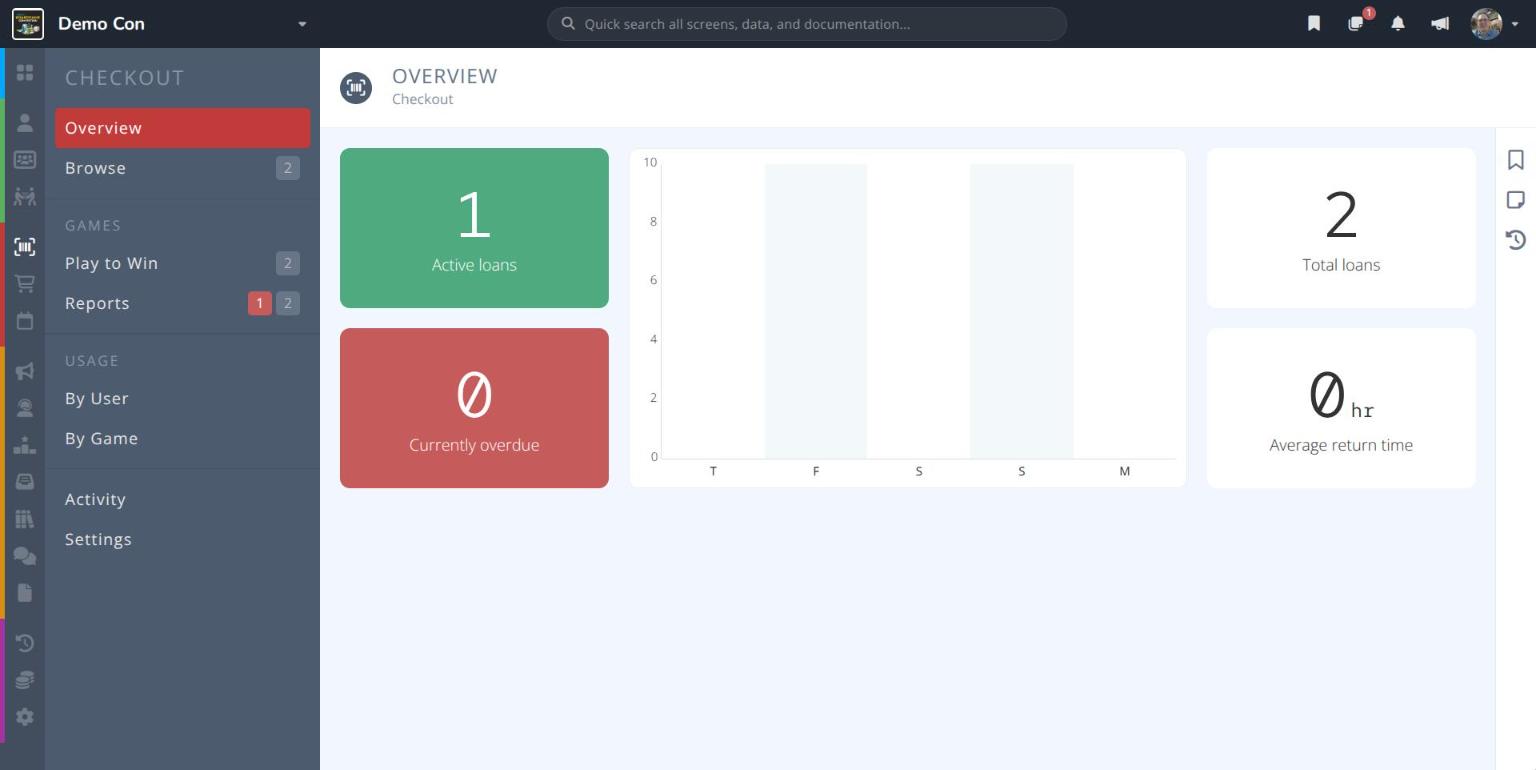
- Active loans - Games that are checked out right now.
- Currently overdue - Active loans that have been out longer than the
Due ThresholdinCheckout Settings. - Loans chart - Loans across the days of your convention.
- Total loans - Every loan so far, including returned games.
- Average return time - How long, on average, games are out before they are returned.
¶ Browse
From the menu click .
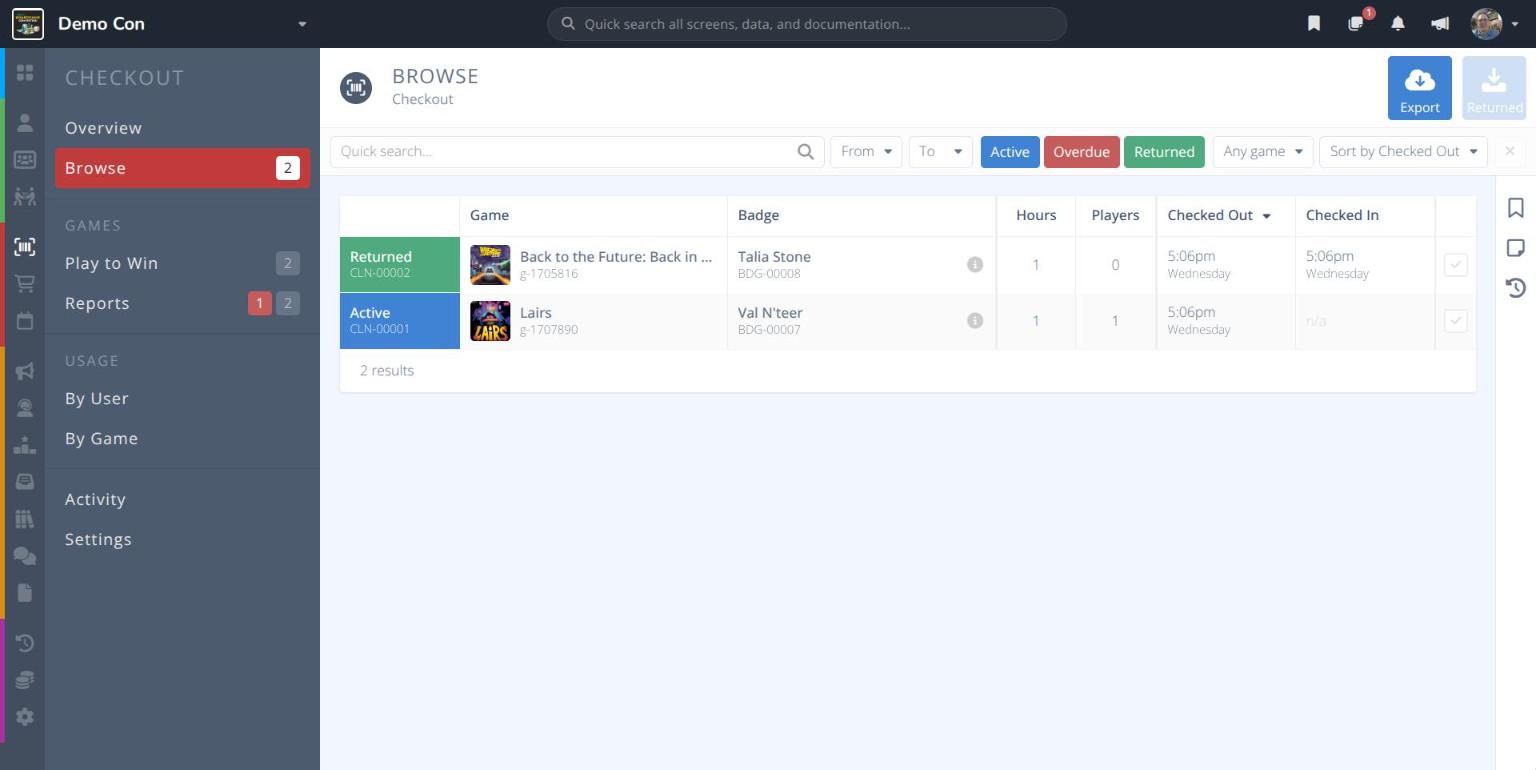
Each row is one loan:
- Status - Active, Overdue or Returned, with the loan's reference (e.g. CLN-00001).
- Game - The library game that was borrowed.
- Badge - The attendee who borrowed it. Click to quick-view their badge.
- Hours - How long the game has been out, or was out.
- Players - How many people played, counting the borrower and anyone scanned in with the loan.
- Checked Out and Checked In - When the game went out and came back.
To find loans, use:
- The Quick search... box
- From and To to choose a date range
- The , and filters
- Any game to show the loans of one game
- Sort by to sort by Checked Out, Checked In or Hours
Buttons at the top of the screen:
- - Download the list as a CSV file.
- - Mark every ticked loan as returned. It is greyed out until at least one loan is ticked.
¶ Loan
Click a loan in the list to open it.
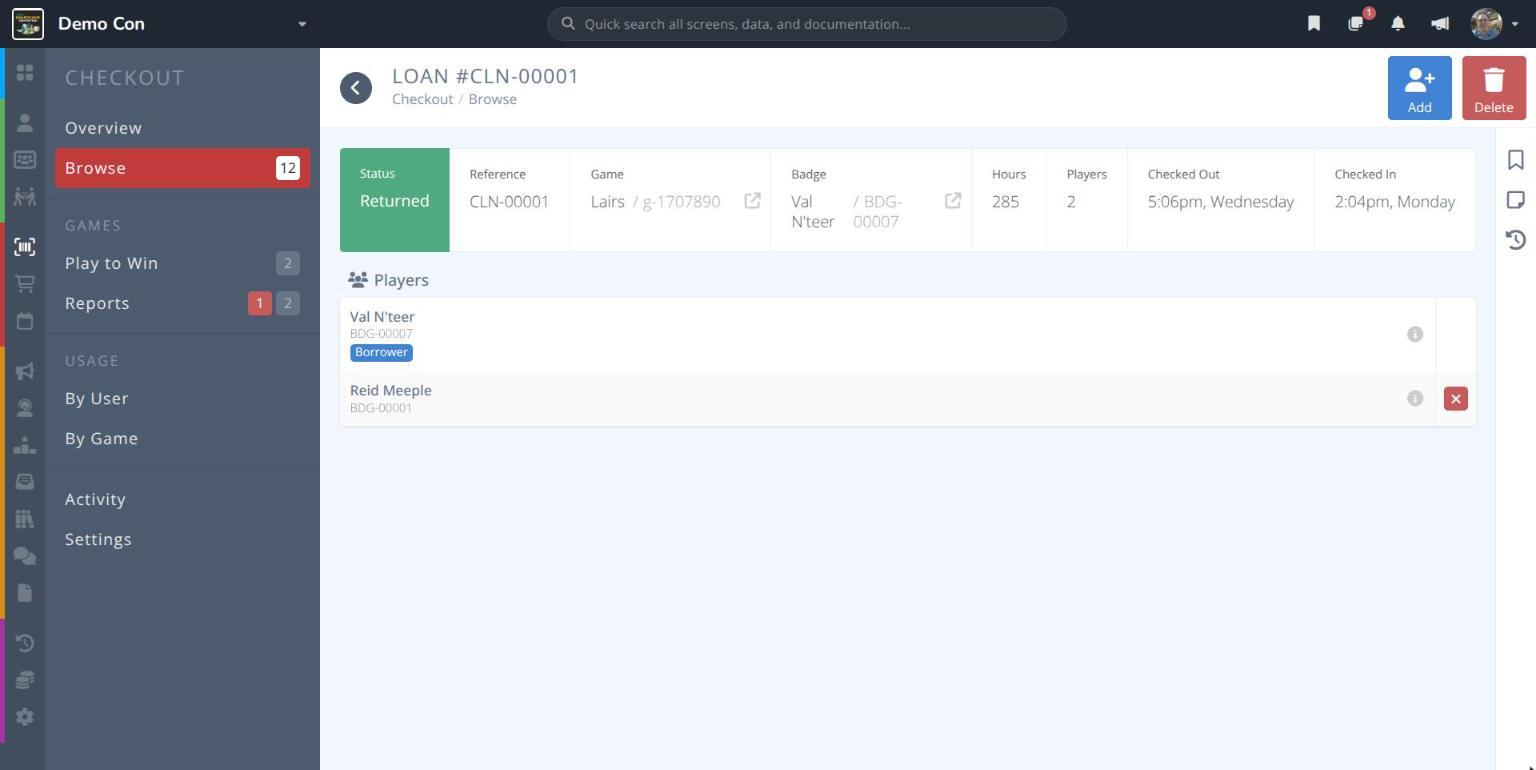
The top of the screen shows the loan's status, reference, game, the badge that borrowed it, hours, number of players, and when it was checked out. Click next to the game or badge to open that record.
The Players list starts with the attendee who borrowed the game, labelled Borrower, followed by everyone scanned in with the loan. For a Play to Win game, these players are entered into its draw. Click on a row to remove that player. The borrower can't be removed.
Buttons at the top of the screen:
- - Add a player to the loan.
- - Mark the game as returned.
- - Delete the loan.
¶ Procedures
¶ Find Overdue Games
- From the menu click .
- Click the filter.
- Click a loan to see who borrowed the game, then click next to their badge to find their contact details.
Note: Loans only become overdue when a
Due Thresholdis set inCheckout Settings. Attendees are not currently notified when their loan is overdue.
¶ Find a Loan
- From the menu click .
- Type the game, attendee or loan reference in the Quick search... box, e.g. Lairs or CLN-00001. To narrow the list, use Any game, the status filters, or From and To.
- Click the loan to open it.
¶ Add or Remove a Player on a Loan
Use this when a player was missed at the library desk, so they are counted for the game and entered into its Play to Win draw.
- Find the loan and open it. See
Find a Loan. - To add a player, click , then search for and select the attendee.
- To remove a player, click on their row.
¶ Mark a Game as Returned
Games are normally checked in at the library desk. Use this when a game came back but was not checked in, for example at the end of the convention.
- Find the loan and open it. See
Find a Loan. - Click .
To return several games at once, tick each loan on the screen, then click at the top of the screen.
¶ Next Steps
Checkout Settings- Set loan limits, when loans become overdue, and Play to Win rules.Assistant- Check games in and out at the library desk.Play to Win- Set up the games attendees can win.Library- Add games to your convention's library.