¶ People
¶ Overview
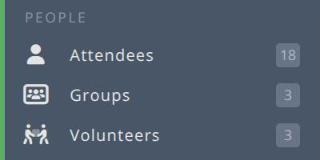
The PEOPLE group in the main menu covers everyone at your convention:
- Attendees - Every badge, and what happens to it: add-ons, check-ins, holds, renames, tickets and transfers
- Groups - Teams such as exhibitors and demo teams, whose leads hand out badges and submit events
- Volunteers - Volunteer roles and shifts, applications and assignments
The number next to each menu item shows how many records it has: badges for Attendees, groups for Groups, and volunteers for Volunteers.
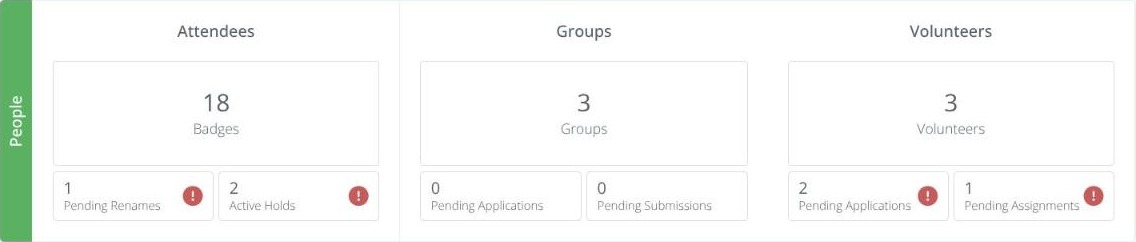
The People row of the Dashboard gives you the same totals, plus anything waiting for you, such as pending renames, active holds, and group or volunteer applications. Click a total to open that screen.
¶ Menu Breakdown
¶ Attendees - Badges and the People Who Hold Them
OverviewandBrowse- Find, add, import, export and print badgesBadges- Add-ons, check-ins, holds, renames, tickets and transfersSetup- Badge types and categoriesAdmin- Attendees activity and settings
¶ Groups - Exhibitors, Demo Teams and Clubs
OverviewandBrowse- Create and manage groupsReview- Group applications and event submissionsConvention- Group members' badges and group eventsAdmin- Groups activity and settings
¶ Volunteers - Volunteer Roles and Shifts
OverviewandBrowse- How full your slots are, and who is volunteeringReview- Volunteer applicationsAssignments- Confirmed, pre-approved, submitted and cancelled assignmentsSetup- Volunteer roles, slots and accessAdmin- Volunteers activity and settings
¶ Common Procedures
Attendees
Groups
Volunteers