¶ Attendees: Add-ons
¶ Overview
The Add-ons screen lists every add-on your attendees have bought or been comped, such as T-shirts or meal tickets, and whether it has been picked up. Add-ons are usually handed over at check-in with the Check-in Assistant, which marks them as collected. See Assistant.
From the menu click in the BADGES group.
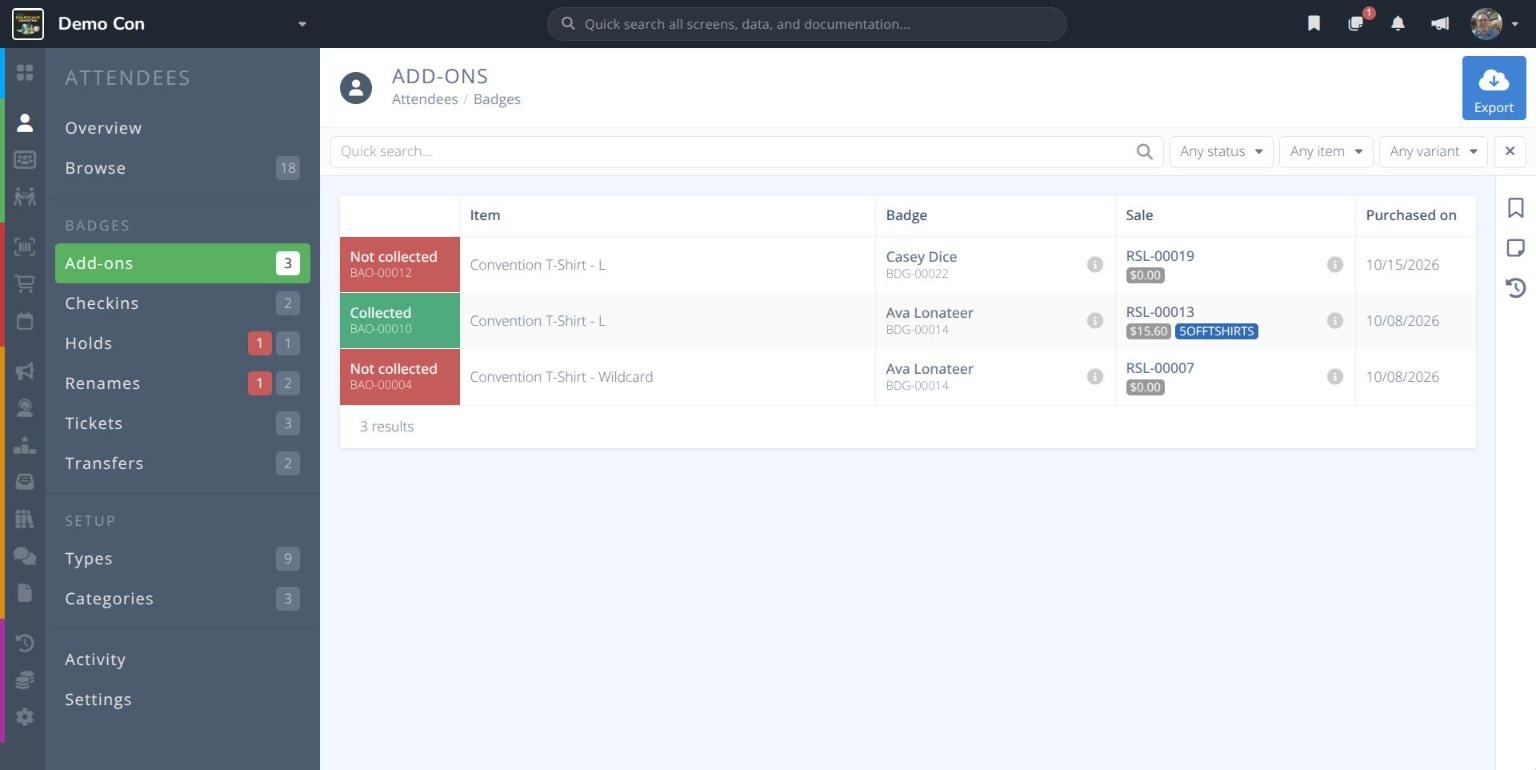
Each row is one add-on:
- Status - Whether the add-on has been handed over:
- Not collected - Still to be picked up.
- Collected - Picked up.
- Completed - Nothing to pick up, e.g. a digital item.
- Item - The add-on and its variant, e.g. Convention T-Shirt - L.
- Badge - The attendee it belongs to. Click to quick-view the badge.
- Sale - The sale it came from, what was paid, and any discount code used. Click to quick-view the sale.
- Purchased on - When it was bought.
To find add-ons, use the Quick search... box, Any status, Any item and Any variant. Click to download the list as a CSV file, for example a pick list for your merchandise table.
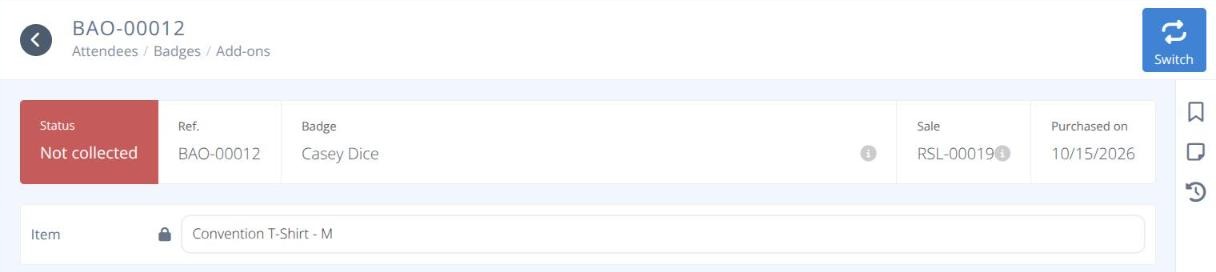
Click a row to open the add-on. It shows the same details, and the button for items with variants.
¶ Common Procedures
¶ Procedures
¶ Switch an Add-on to Another Variant
Use this when an attendee wants a different size or colour of the same item.
Warning: If the new variant has a different price, the difference is ignored. To charge or refund the difference, refund the original add-on instead and ask the attendee to buy the right one.
- From the menu click , then click the add-on.
- Click .
- Choose the new variant.
- Click .
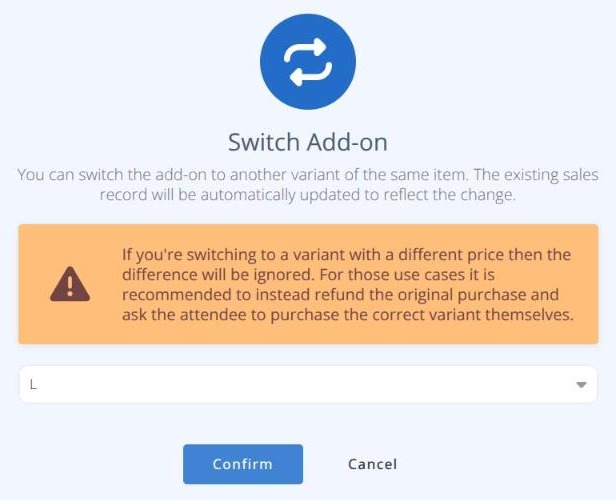
The add-on and its sale are updated to the new variant.
¶ Find Add-ons Still to Be Collected
- From the menu click .
- Choose Not collected in Any status.
- To narrow the list to one item, choose it in Any item.
- Click if you need a printed list.