¶ Attendees: Checkins
¶ Overview
The Checkins screen lists every check-in made with the Check-in Assistant at your registration desk. Use it to see who has arrived, and to follow up with attendees who still have items to collect. To check attendees in, see Assistant.
From the menu click in the BADGES group.
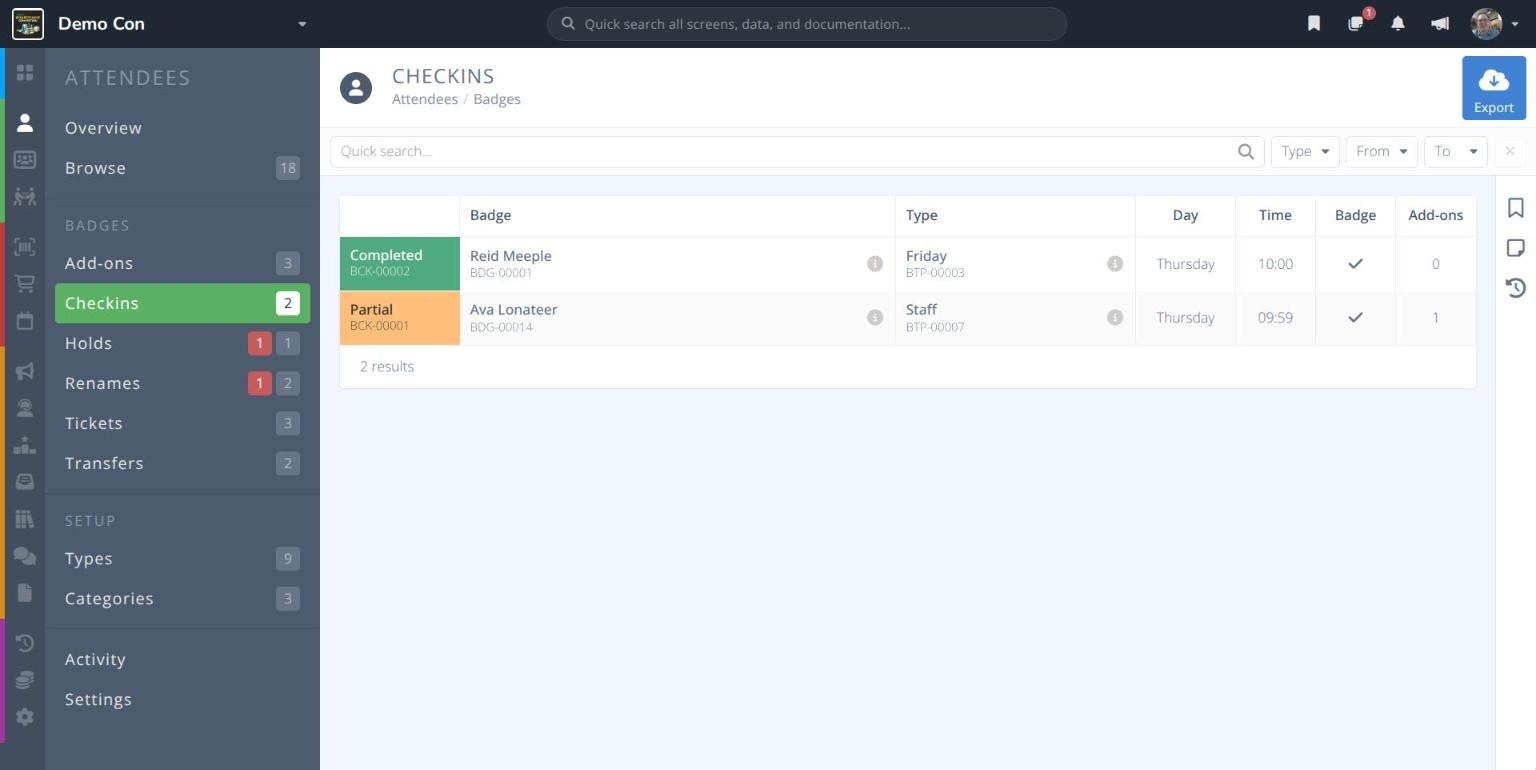
Each row is one check-in:
- Status - What was handed over at that check-in:
- Completed - Everything to be collected was handed over.
- Partial - Some items were left to collect later.
- Badge - The attendee who checked in. Click to quick-view the badge.
- Type - Their badge type.
- Day and Time - When they checked in.
- Badge - Ticked when the badge itself was handed over.
- Add-ons - How many add-ons were picked up.
To find check-ins, use the Quick search... box, Type, and From and To. Click to download the list as a CSV file. Click a row to open the attendee's badge.
Note: Only items that are handed over at the desk count towards a check-in: the badge itself and add-ons such as merchandise. Event tickets are not currently collected, so they do not make a check-in Partial.
Add-onsscreen.
¶ Common Procedures
¶ Procedures
¶ See What an Attendee Still Has to Collect
- From the menu click .
- Find the attendee with the Quick search... box. A Partial check-in means something was left behind.
- Click the row to open their badge, then click the Add-ons tab. Items not yet picked up show as Not collected.