¶ Organization: Team
¶ Overview
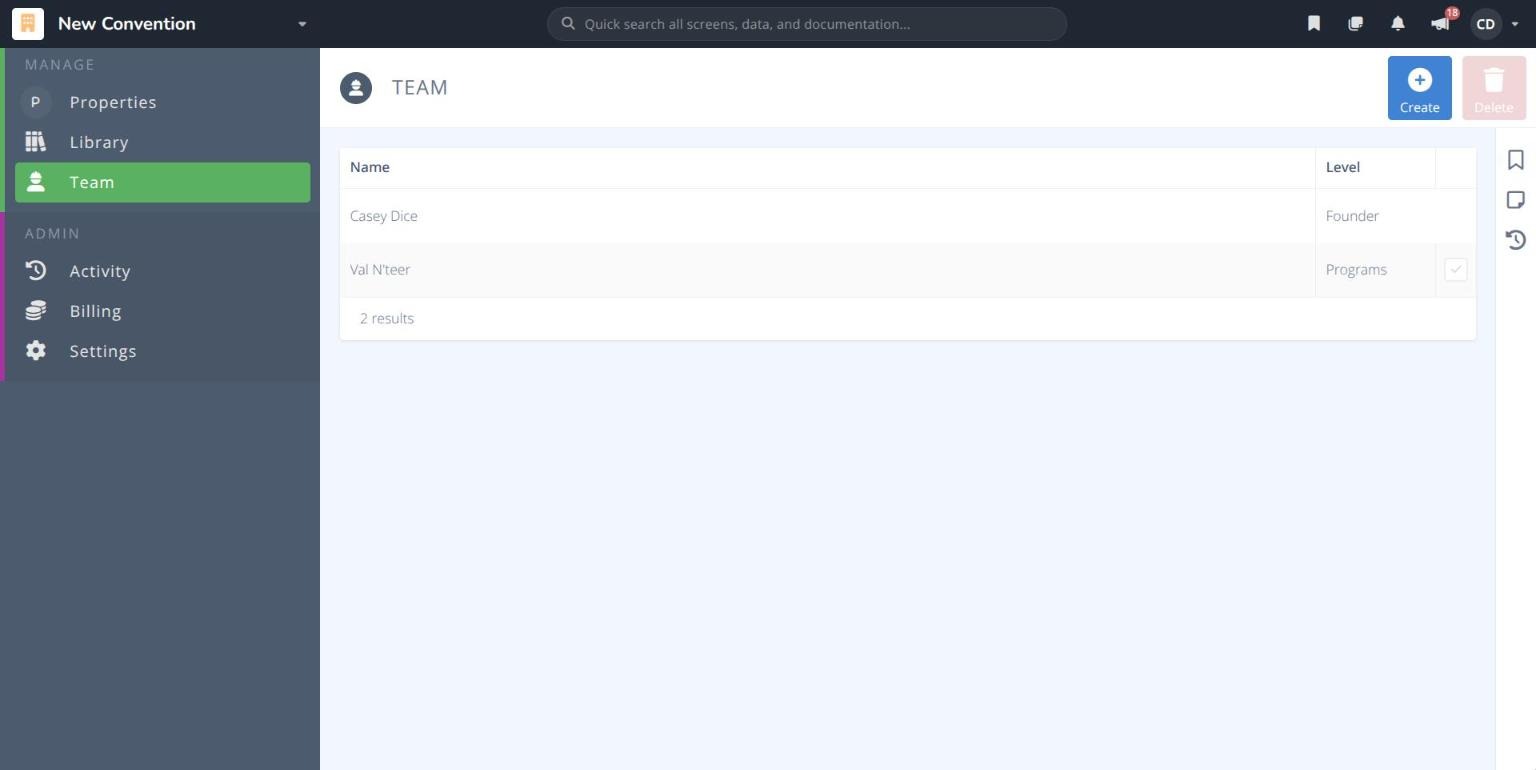
Your Team is everyone who can use the Manage site for your organization. For each team member you choose a Level, and what they can see and change.
From your organization's menu, click .
Note: Being on your team gives someone access to the Manage site only. It doesn't give them a badge for your convention.
¶ Common Procedures
¶ Levels and Permissions
Each team member has one Level:
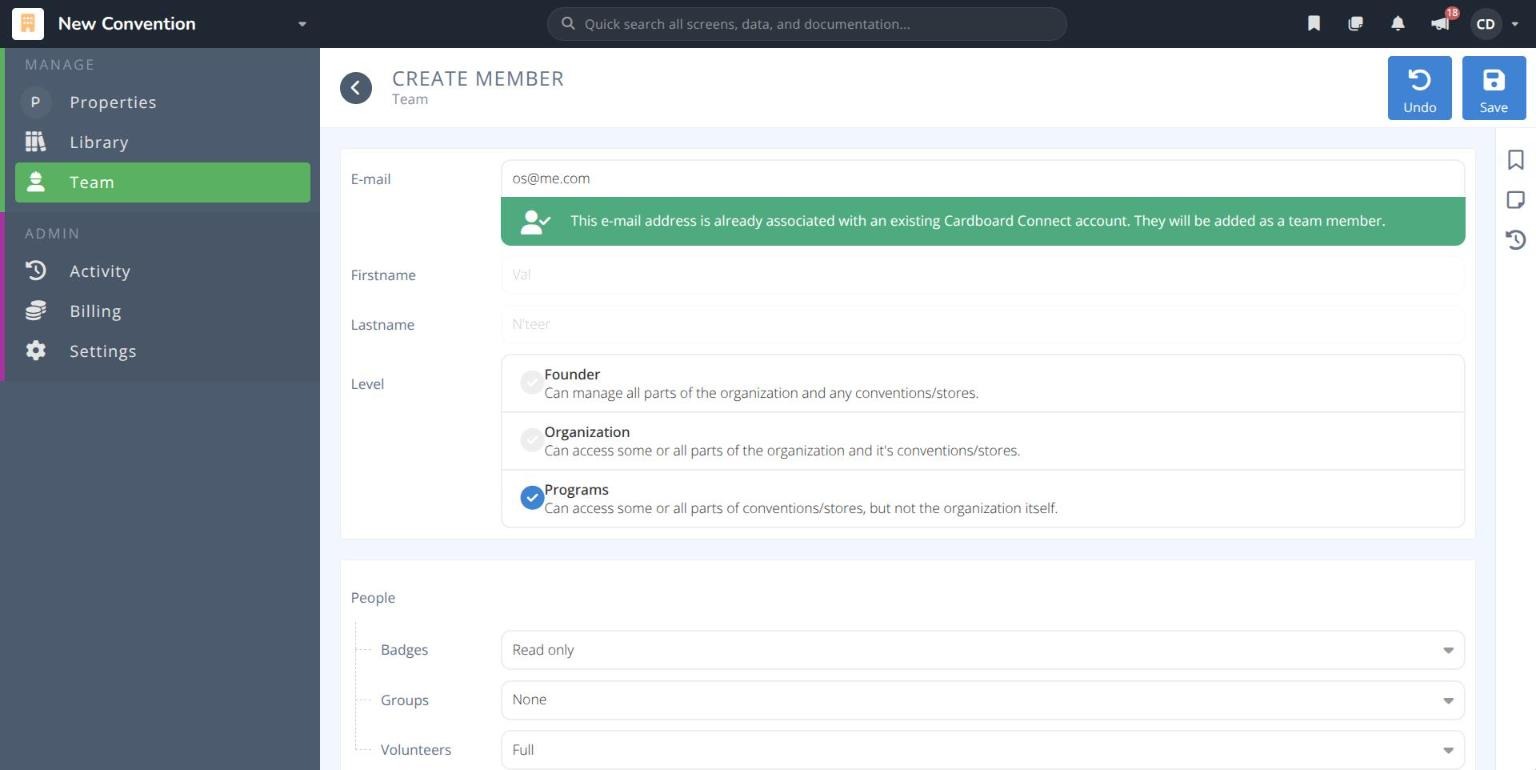
- Founder - Can manage everything in the organization and all its conventions.
Warning: Founders are considered super users and can only be removed with a direct request to support@cardboardconnect.com. It is recommeneded to use this level sparingly.
- Organization - Can access the parts of the organization and its conventions that you choose.
- Programs - Can access the parts of your conventions that you choose, but not the organization itself. Use this for most convention staff.
For Organization and Programs you set each permission to None, Read only or Full:
- Organization tab (Organization level only) -
Conventions,Library,Billing,TeamandSettings. - Conventions tab - One permission for each area of a convention, grouped as in the convention's main menu: People, Services, Other and Admin. For example,
Volunteersgives access to everything inVolunteers.
An updated roles based permission system is currently in development that will also allow for permissions to be set on each level (Organization, Property, and specific Conventions).
¶ Procedures
¶ Add a Team Member
- From the menu click .
- Enter their
E-mail.
- If they already have a Cardboard Connect account, use that account's e-mail address. A green message confirms the account was found, and their name is filled in.
- If that e-mail address is already on your team, a red note says "This e-mail address is associated with a Cardboard Connect account that is already part of the team." and stays greyed out. Open the existing team member instead. - If they don't have an account, enter their
FirstnameandLastname. An account is created for them. - Choose their
Level. - Set their permissions on the Organization and Conventions tabs.
- Click .
¶ Change a Team Member's Access
- From the menu click the team member.
- Change their
Levelor permissions. - Click .
¶ Remove a Team Member
- From the menu tick the box at the end of the team member's row.
- Click .
This removes their access to the Manage site only.
¶ Next Steps
Properties- Create your conventions.Organization: Activity- See what your team has changed.