¶ Organization: Activity
¶ Overview
The organization's Activity page lists every change made across your organization, including its properties and conventions, and who made it. For example: a convention or page being created, a badge type or item being added, settings being changed, or a payout account being connected.
From your organization's menu, click in the ADMIN group.
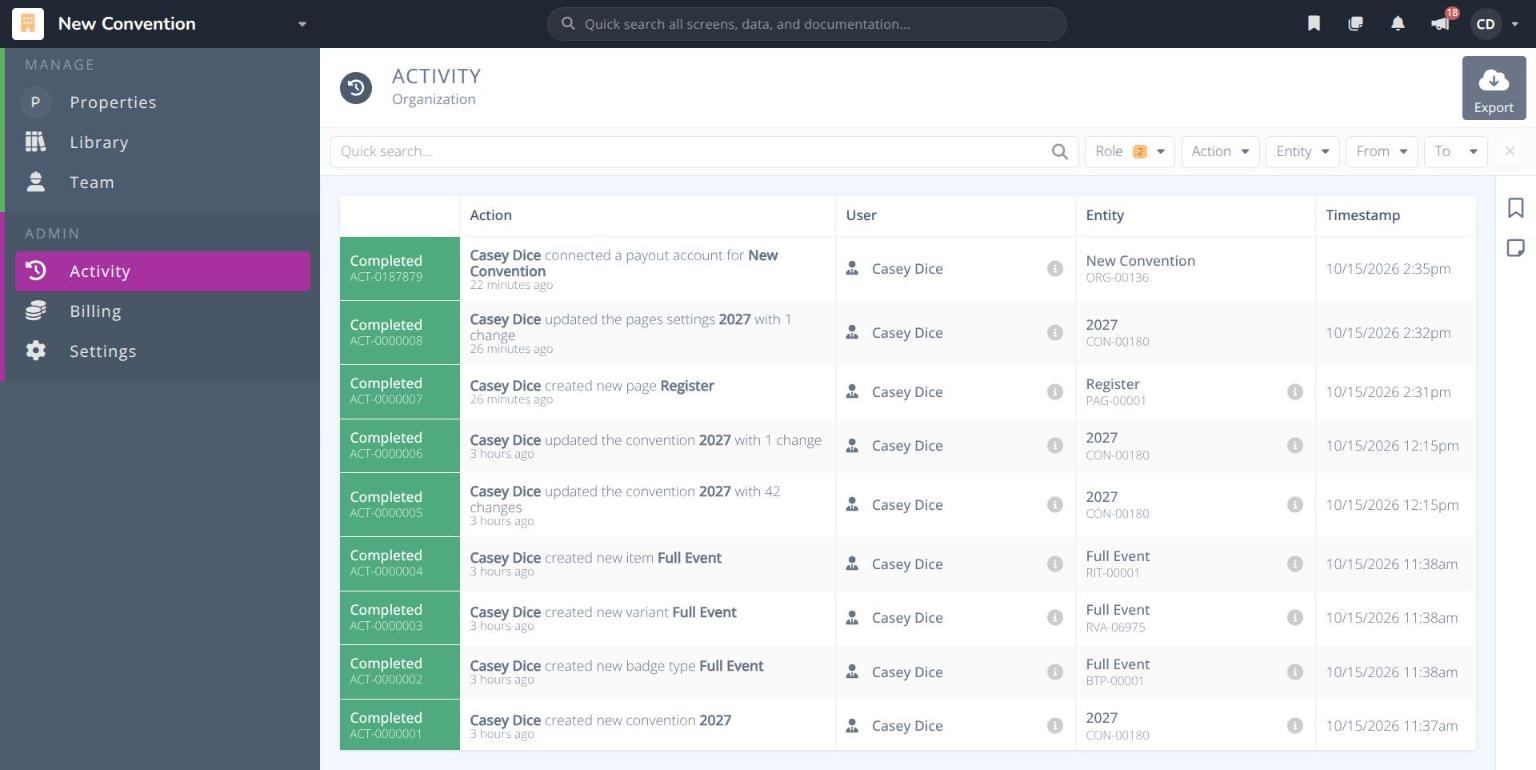
Each row shows the action, the User who made it, the Entity it was made to (e.g. a convention or page, with its reference), and the Timestamp. Use the Quick search... box and the Role, Action, Entity, From and To filters to find a change. Click to download the list as a CSV file.
The grid and filters work the same way as every Activity page. See Activity in Manage Basics for each column and filter.
¶ Next Steps
Activity- How Activity pages, filters and exports work.Convention: Activity- Every change in one convention.