¶ Convention: Activity
¶ Overview
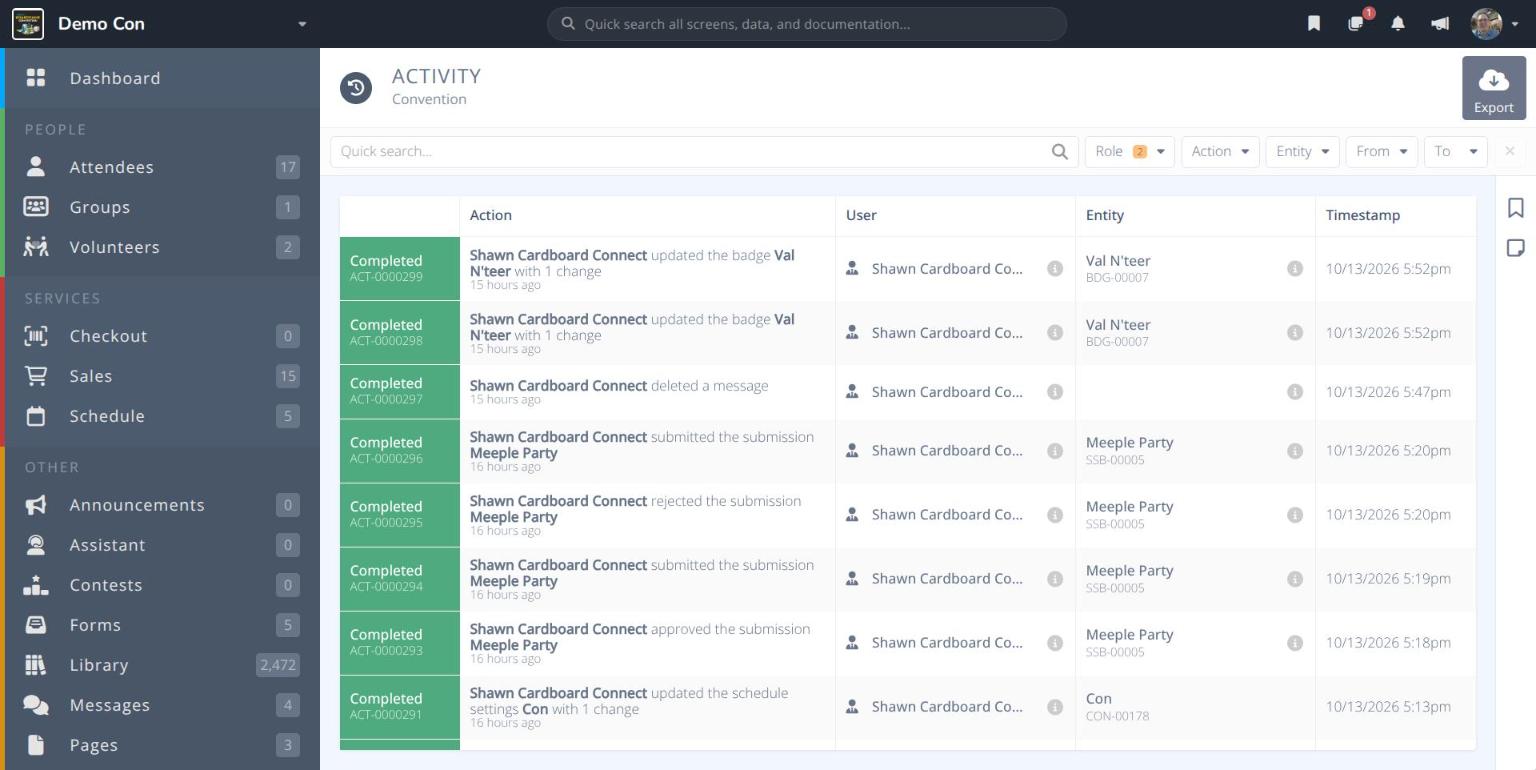
The convention Activity page lists every change made anywhere in your convention, such as a badge being updated, a submission being approved, or a setting being changed. Each section of Manage also has its own Activity page that shows only that section's changes. This page brings them all together.
From the main menu, click in the ADMIN group.
The grid, filters and button work the same way as every Activity page. See Activity in Manage Basics for each column and filter.
Note: Here the Entity filter lists every kind of record in the convention, from badges and groups to events, sales, forms and settings (e.g. Schedule Settings or Payout Settings).
¶ Common Procedures
¶ Procedures
¶ Find Who Made a Change
- From the main menu, click .
- Type the name or reference of the record in the Quick search... box, e.g. Meeple Party or SSB-00005. To narrow the list further, use the Entity, Action or From and To filters.
- The User column shows who made each change, and the Action column shows what they did.
- Click a row to see the details of the change. See
View the Details of a Change.
Tip: By default only changes made by admins and Assistant apps are shown. To include changes attendees made themselves, open Role and tick Attendee.
¶ Next Steps
Activity- How Activity pages, filters and exports work.Activity Log- The history of a single page or record.