¶ Event Types
¶ Overview
Event types sort your events into kinds, such as Board Game, RPGs, Miniatures or Special Event. Attendees choose a type when they submit an event, and you can use types to:
- Limit which types of event can be scheduled in a
room, e.g. only Demos at the Big Publisher Booth - Limit who can submit a type of event, e.g. only Exhibitor badge holders can submit Demos
- Show extra game options, such as minimum experience, when a game is submitted
Note: Event types are currently only seen when submitting events and in Manage. They are not shown to attendees browsing the schedule to join events. To group events in a way attendees can see and search, use
Lobbies.
¶ Common Procedures
Create an Event TypeLimit Who Can Submit an Event TypeLimit a Room to Specific Event TypesDelete an Event Type
¶ Types List
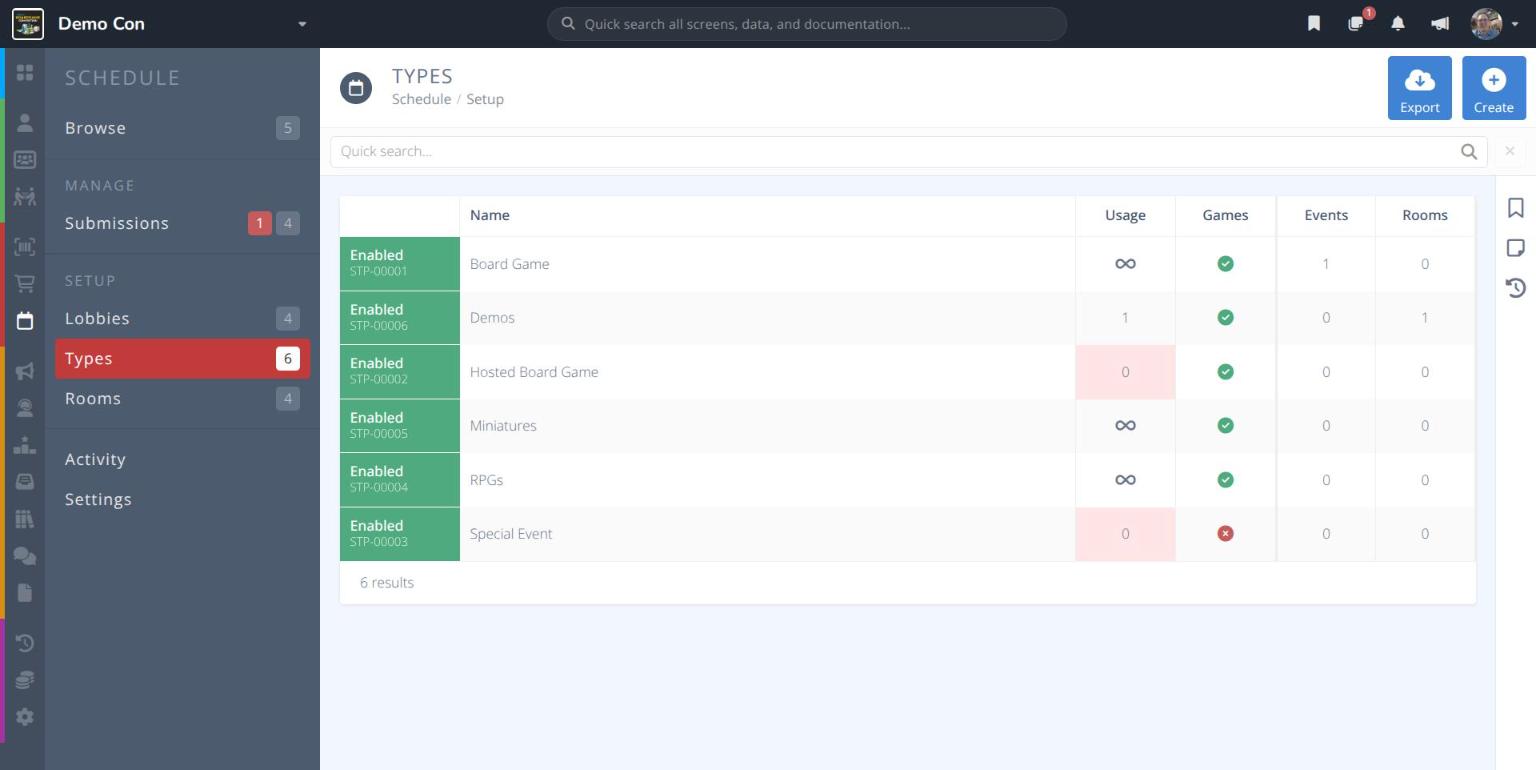
From the menu click .
The list shows each type with:
Usage- Who can submit events of this type:- - Public, anyone can choose it
- A number - Private, with that many usage rules
- A red 0 - Private with no usage rules yet
Games- if the type is for playing a game, if notEvents- The number of events of this typeRooms- The number of rooms limited to specific event types that allow this type. Rooms that allow All event types are not counted.
Click a type to open it. On the type's screen, click the Events tile at the top to open Browse showing only that type's events, with Hide Completed turned off.
Eventscount is a count of active events.
¶ Fields
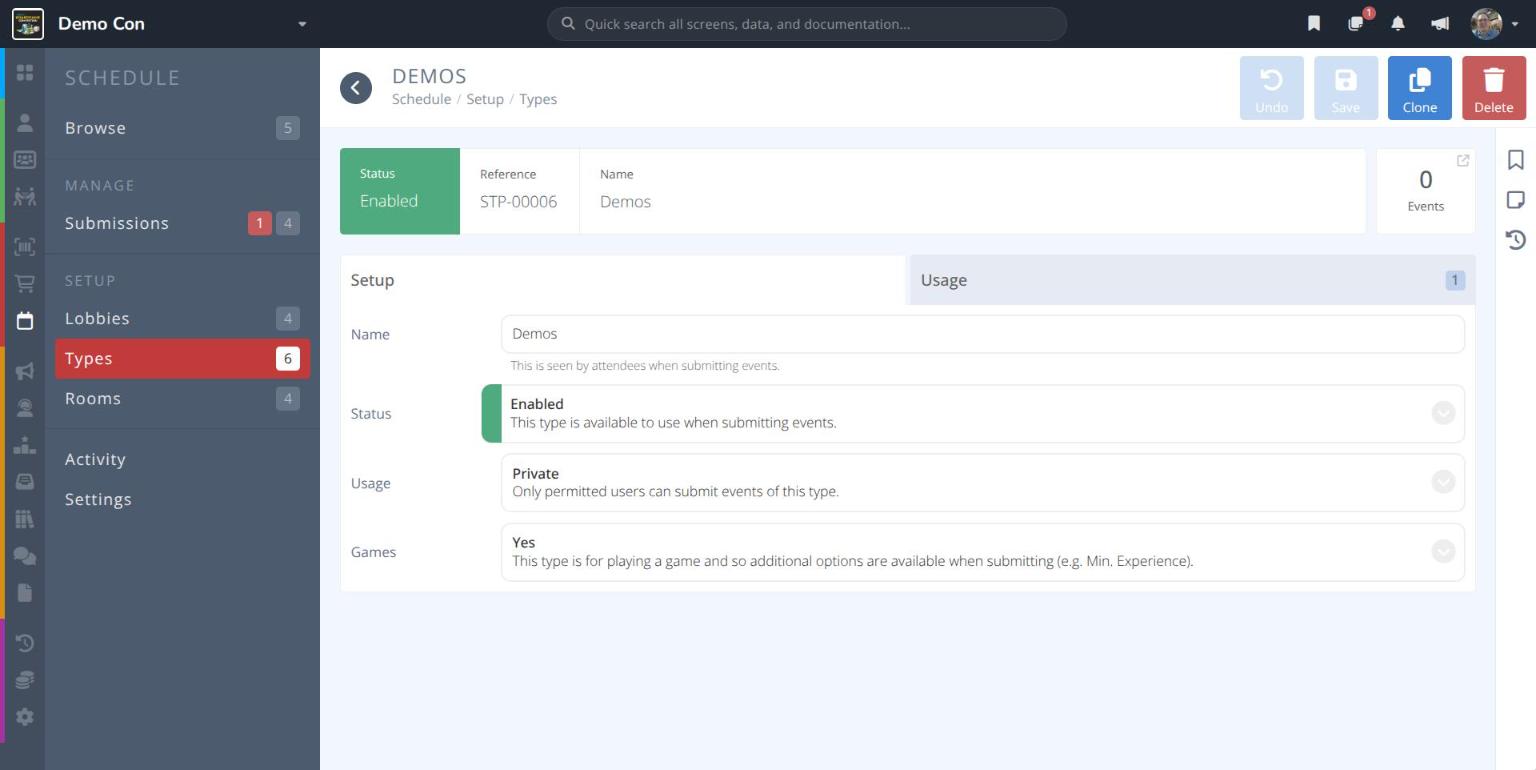

Name- The name of the type. Attendees see this when submitting an event.Status- Enabled types can be chosen when submitting events. Disabled types cannot.Usage- Public (anyone can choose it) or Private (only the people on the Usage tab, seeLimit Who Can Submit an Event Type)Games- Yes if the type is for playing a game. Extra game options, such as Min. Experience, are then shown when submitting. Choose No for events such as seminars or meetups.
¶ Procedures
¶ Create an Event Type
- From the menu click , then click .
- Enter the
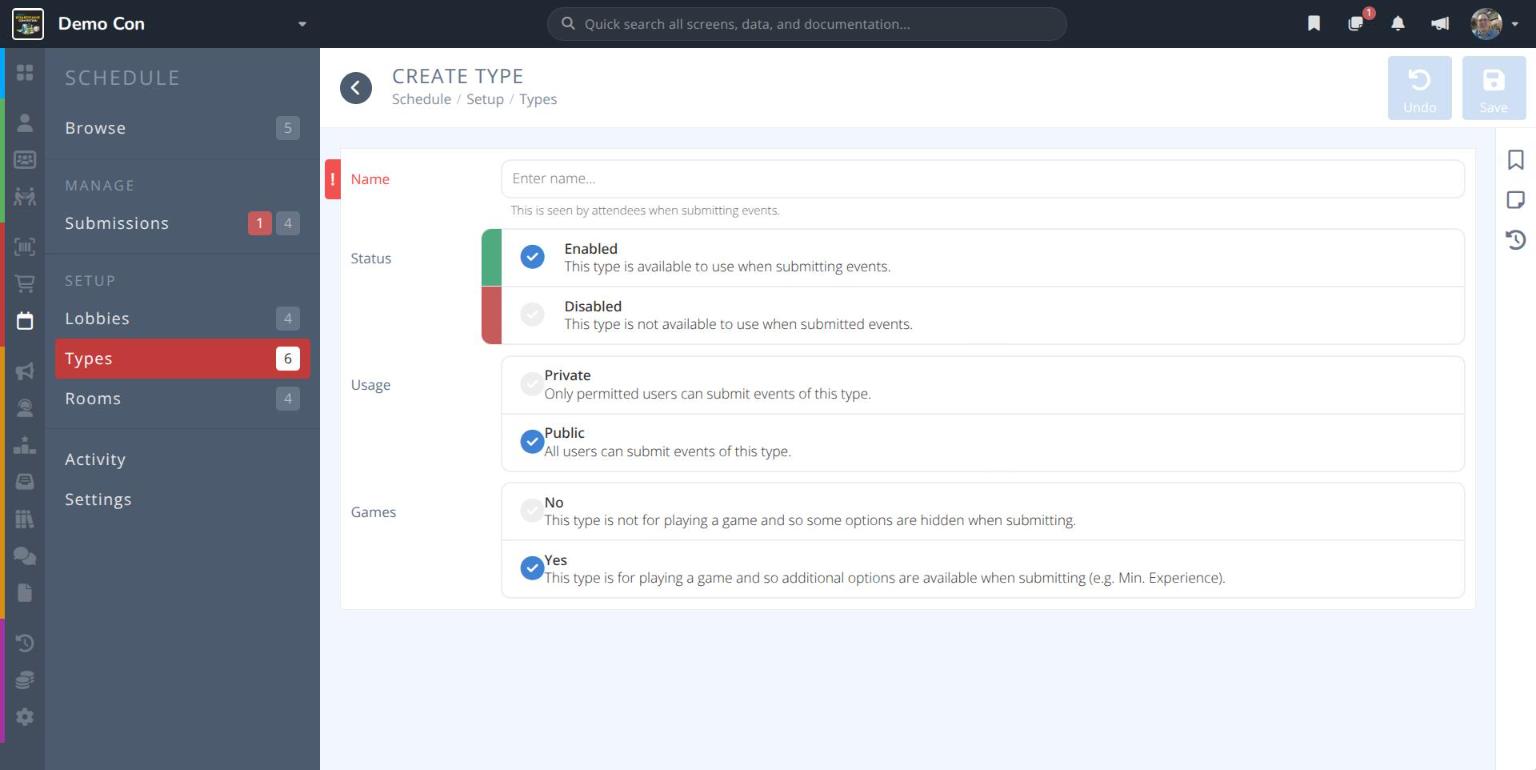
Name(e.g. Board Game, Seminar, Miniatures). - Leave
Statusas Enabled. - Choose the
Usage. Most types are Public. - Choose whether the type is for
Games. - Click .
- If
Usageis Private,limit who can submit it.
Tip: To make a type like one you already have, open that type and click .
¶ Limit Who Can Submit an Event Type
Use this for types only some people should use. For example, Demo Con's Demos type can only be chosen by Exhibitor badge holders.
- Open the type and make sure
Usageis set to Private. Click if you changed it. - Click the Usage tab.
- Click the kind of access to add: , , , , , or .
- Start typing a name and select it from the list. It is added to the grid, and
Scopeshows how many people it covers.
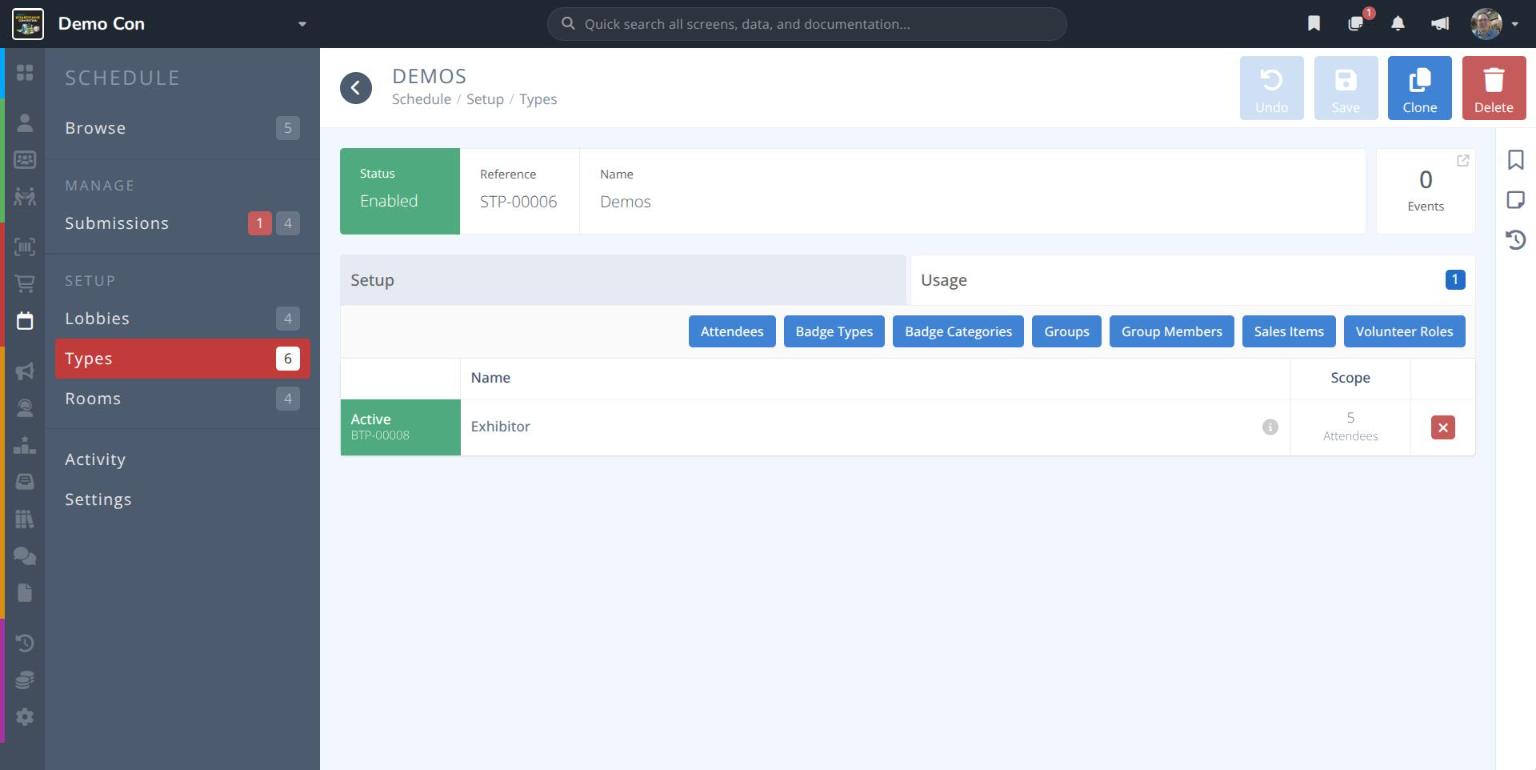
- Repeat for anyone else who needs it. To remove one, click .
- Click .
¶ Limit a Room to Specific Event Types
Use this so a room only takes the events it is meant for. For example, Demo Con's Big Publisher Booth only allows Demos.
- From the menu click and open the room.
- Click the Settings tab.
- Set
Eventsto Specific event types, then tick the types the room allows.
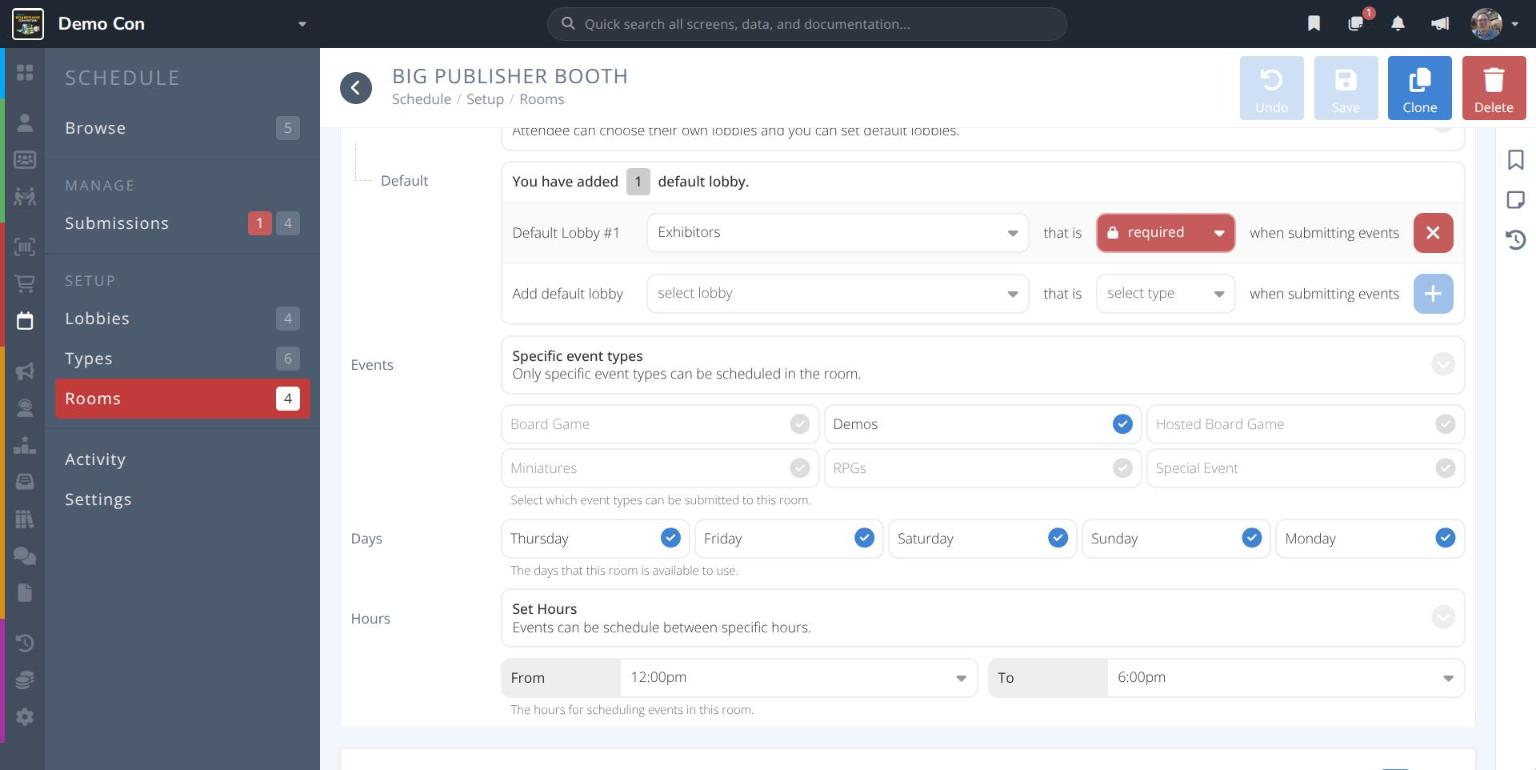
- Click .
¶ Delete an Event Type
- From the menu click and open the type.
- Check the
Eventscount at the top right. If events use this type, move them to another type first. - Click , then click .
Warning: Deleting an event type cannot be undone. Events that used it will no longer show a type.
Statusto Disabled.