¶ Volunteers: Settings
¶ Overview
Volunteers Settings apply to your whole volunteer program. They decide what attendees see, how they sign up, and the limits on what they can do.
From the menu click at the bottom of the menu. After changing a setting, click , or to discard the change.
¶ Common Procedures
¶ Fields
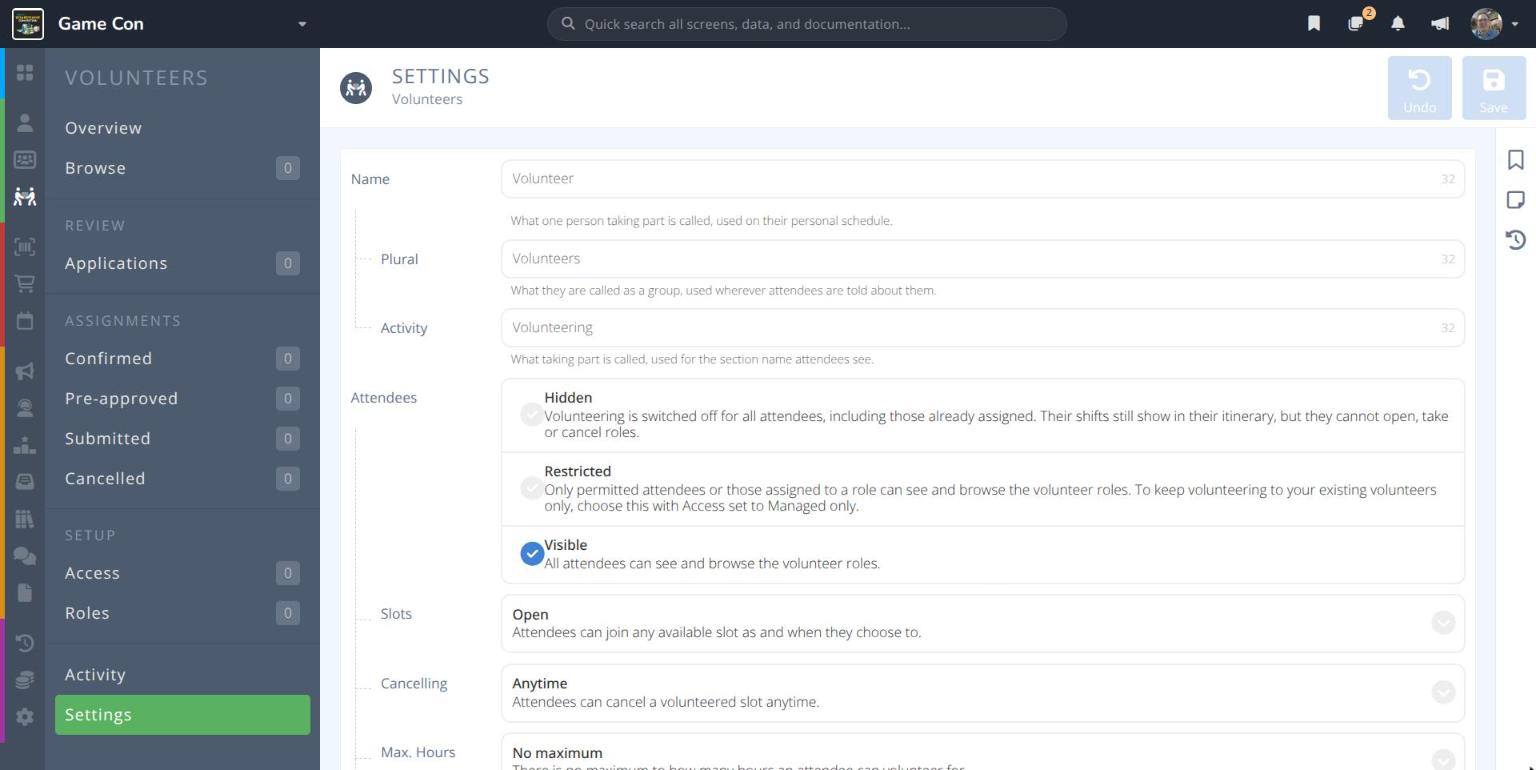
Name- What one volunteer is called, e.g. Volunteer or Quester. Used on their personal schedule.Plural- What they are called as a group, e.g. Volunteers. Used wherever attendees are told about them.Activity- What volunteering is called, e.g. Volunteering. Used as the name of the section attendees see.
Attendees- Which attendees can see your volunteer roles:- Hidden - Volunteering is switched off for all attendees, including those already assigned. Their shifts still show in their itinerary, but they can't open, take or cancel roles.
- Restricted - Only attendees you give access, or who are already assigned to a role. See
Access.Access- Shown under Restricted. Leave it on Managed only (the default) to keep volunteering to your existing volunteers only.
- Visible - All attendees.
Slots- How attendees sign up for slots:- Closed - Attendees can't sign up for slots.
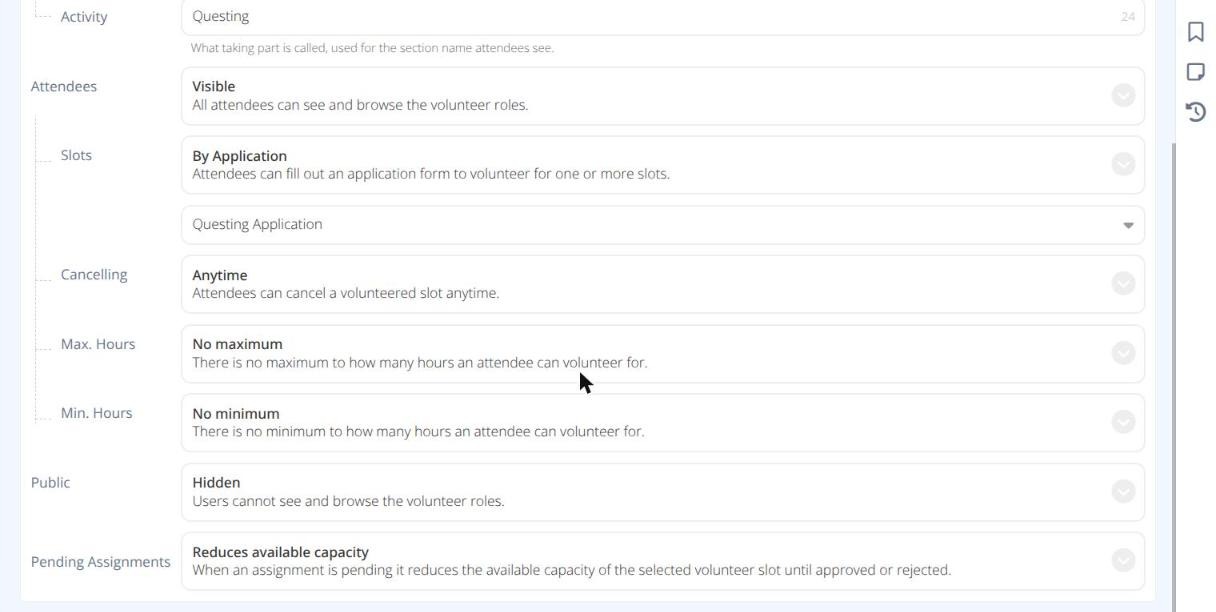
- By Application - Attendees apply with a form and choose the slots they want. Choose the application form below it.
- Open - Attendees join any available slot whenever they like.
Cancelling- Whether volunteers can cancel their own slots:- Disabled - They can't. They need to ask you.
- Limited time - Until the date you enter.
- Anytime - At any time.
Max. Hours- The most hours a volunteer can sign up for:- No maximum - No limit.
- Soft maximum - Volunteers are warned when a slot takes them over the hours you enter.
- Hard maximum - Volunteers can't sign up for a slot that takes them over the hours you enter.
Min. Hours- The fewest hours a volunteer should do:- No minimum - No limit.
- Soft minimum - Volunteers are warned when cancelling takes them under the hours you enter.
- Hard minimum - Volunteers can't cancel a slot if it takes them under the hours you enter.
Public- Whether people without a badge can see your volunteer roles and slots:- Hidden - They can't.
- Visible - They can see and browse the roles and slots.
Pending Assignments- Whether a pending assignment holds a place in its slot:- Doesn't reduce available capacity - The place stays open for others until you approve it.
- Reduces available capacity - The place is held until you approve or reject it.
¶ Procedures
¶ Open Volunteering to Attendees
Set up your roles and slots first. See Roles.
- From the menu click .
- Set
Attendeesto Visible, or Restricted if only some people may volunteer. - Choose how they sign up in
Slots:- For By Application, choose your volunteer application form. Create the application page first. See
Create an Application Page. - For Open, attendees join slots in the app straight away. Set each role's eligibility to Review if you want to approve them.
- For By Application, choose your volunteer application form. Create the application page first. See
- Choose whether volunteers can cancel in
Cancelling. - Click .
¶ Set Volunteer Hour Limits
Use this when every volunteer must do a set number of hours, e.g. to earn a free badge.
- From the menu click .
- In
Min. Hours, choose Soft minimum to warn volunteers, or Hard minimum to stop them cancelling below it, and enter the hours. - In
Max. Hours, choose a soft or hard maximum if you want to share out the slots, and enter the hours. - Click .
¶ Next Steps
Roles- Create your volunteer roles and slots.Volunteers: Applications- Review volunteer applications.