¶ Volunteers: Access
¶ Overview
Access lists the attendees who may volunteer for roles that are limited to certain people. Use it when:
- Your volunteers section is Restricted, so only permitted attendees can see the roles. See
Volunteers: Settings. - A role's eligibility is Access only. See
Roles.
Applicants you approve also appear here.
From the menu click in the SETUP group.
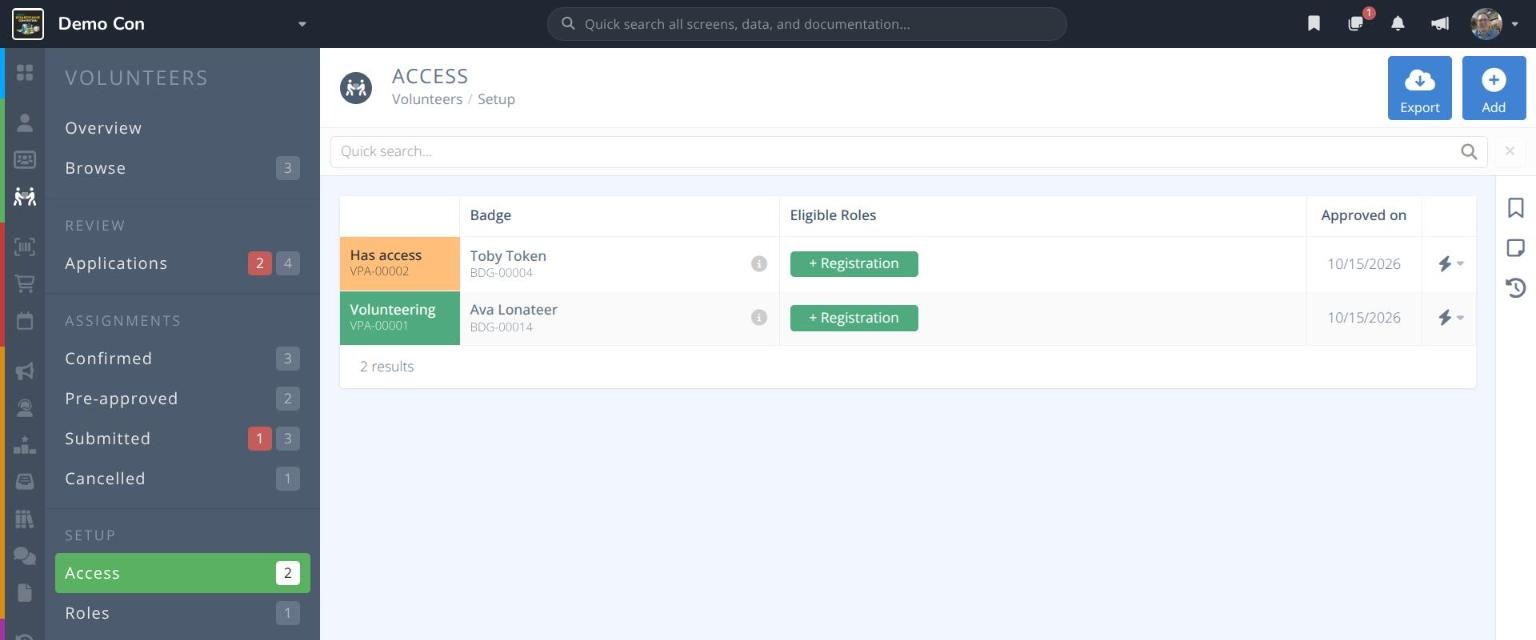
Each row is one person:
- Status - How they got access, with its reference (e.g. VPA-00001):
- Has access - Given access on this screen.
- Volunteering - Volunteering, e.g. after an approved application.
- Badge - The attendee.
- Eligible Roles - The roles they may volunteer for: + Role for allowed roles, - Role for blocked roles, or All.
- Approved on - When access was given.
To find people, use the Quick search... box. Click to download the list as a CSV file.
¶ Common Procedures
¶ Procedures
¶ Grant an Attendee Access to Volunteer Roles
- From the menu click , then click .
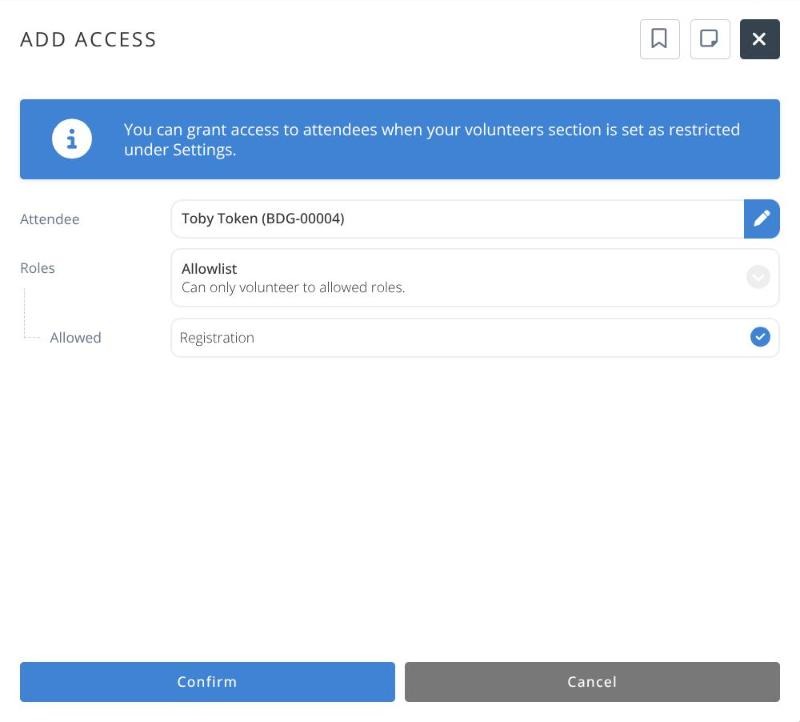
- Search for the
Attendeeand choose them. - Choose which
Rolesthey may volunteer for:- All - Every available role.
- Allowlist - Only the roles you tick in
Allowed. - Blocklist - Every role except the ones you tick.
- Click .
¶ Change or Remove an Attendee's Access
- From the menu click .
- Click on the attendee's row:
- Manage access - Change their roles, then click .
- Remove access - Take away their access, then click .
¶ Next Steps
Roles- Set a role's eligibility to Access only.Volunteers: Settings- Make your volunteers section Restricted.