¶ Attendees: Tickets
¶ Overview
The Tickets screen lists every ticket your attendees hold: tickets for ticketed events, and generic tickets that can be spent on any ticketed event. To sell tickets, see Event Tickets.
From the menu click in the BADGES group.
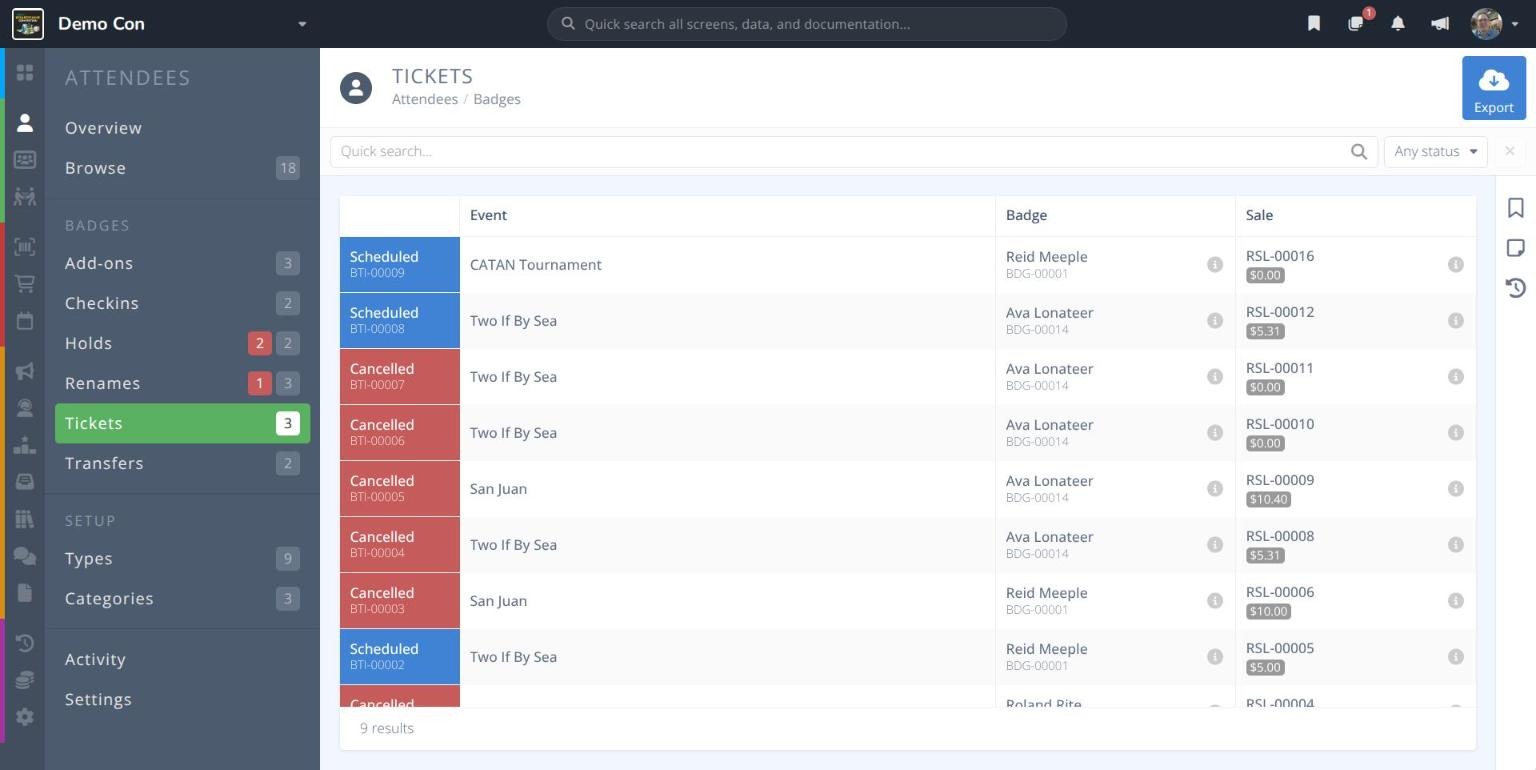
Each row is one ticket:
- Status - Where the ticket is up to, with its reference (e.g. BTI-00001):
- Generic - A generic ticket not yet spent on an event.
- Scheduled - A ticket for an upcoming event.
- Used - Scanned at the event.
- Cancelled - No longer valid, e.g. refunded or the event was cancelled.
- Event - The event the ticket is for.
- Badge - The attendee who holds it. Click to quick-view the badge.
- Sale - The sale it came from and what was paid. Click to quick-view the sale.
To find tickets, use the Quick search... box and Any status. Click to download the list as a CSV file, for example a door list for an event.
Click a ticket to open it.

¶ Common Procedures
¶ Generic Tickets
If you turn on generic tickets in Sales Settings, attendees can buy tickets with a set value and spend them on any ticketed event. When they join an event, their generic tickets are used until the event's price is covered:
- If their tickets are worth less than the event, they pay the rest.
- If their tickets are worth more, the extra value is lost. Attendees can't currently choose how many tickets to use.
For example, with $15 generic tickets, a $50 event uses all four of an attendee's tickets ($60), and the extra $10 is lost.
¶ Procedures
¶ Switch a Ticket to Another Event
Use this when an attendee wants to swap to another session or event.
Warning: If the new event has a different price, the difference is ignored. To charge or refund the difference, refund the ticket instead and ask the attendee to buy the right one.
- From the menu click , then click a Scheduled ticket.
- Click .
- Choose the new event.
- Click .
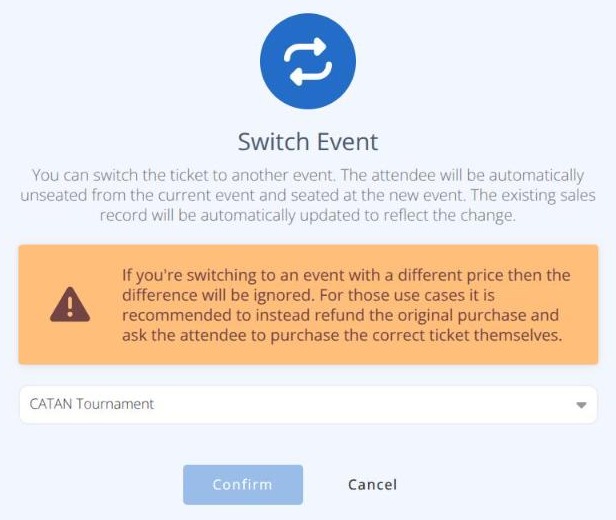
The attendee is taken out of the old event and seated at the new one, and the sale is updated.
Note: The attendee is not currently notified when their ticket is switched.
¶ Next Steps
Event Tickets- Sell tickets for your events.Assistant- Scan tickets at the door.