¶ Sales Settings
¶ Overview
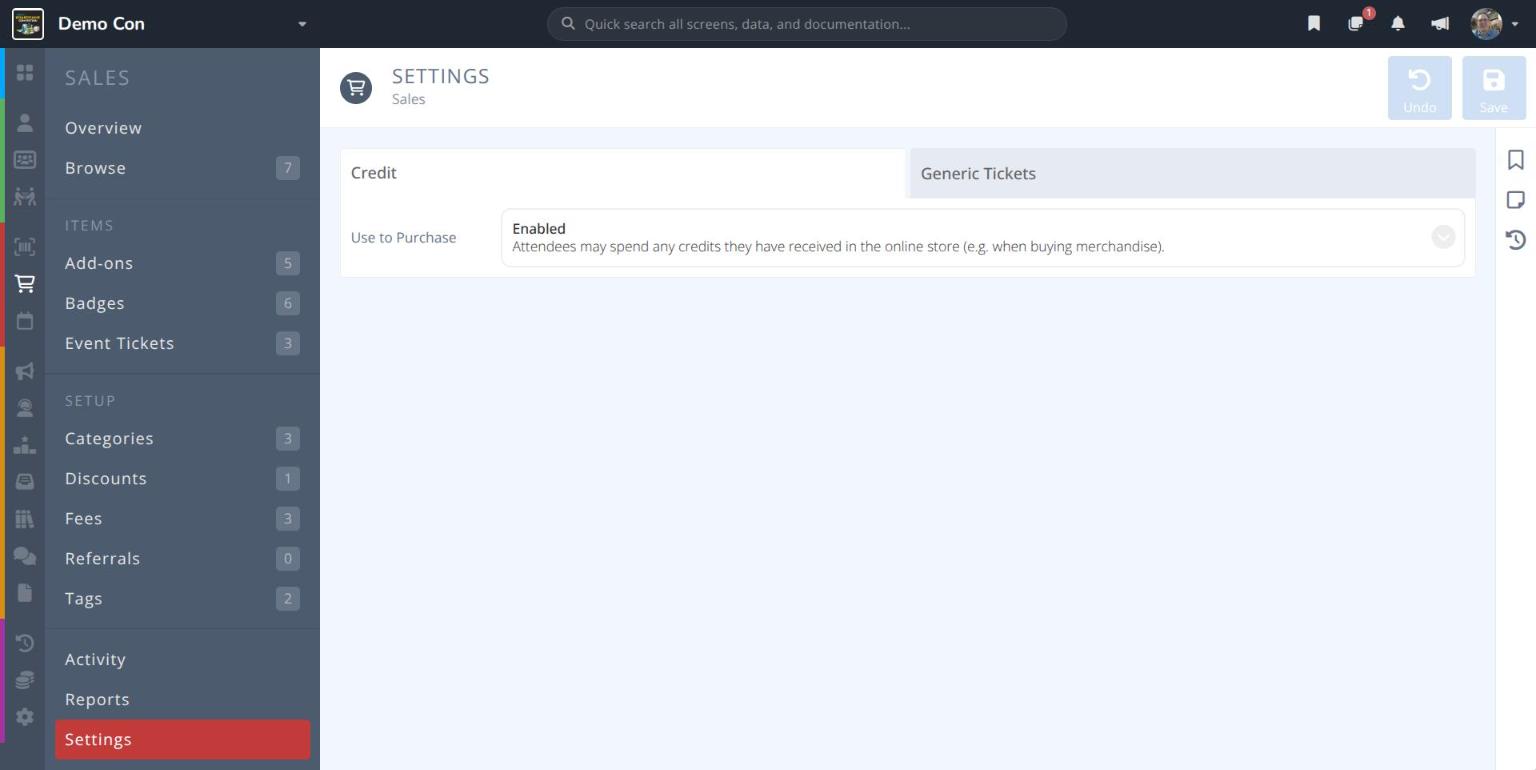
Sales Settings hold two convention-wide choices:
- Credit - Whether attendees can spend credit they have received, such as a refund issued as Online Credit, in the online store.
- Generic Tickets - Whether attendees can buy generic tickets and redeem them for seats at ticketed events, and what each ticket is worth.
These settings apply to the whole convention. You only need to set them once, but you can change them at any time.
¶ Common Procedures
¶ Settings Screen
From the menu click at the bottom of the menu.
The screen has two tabs, Credit and Generic Tickets. After changing a setting, click , or to discard the change.
Click each tab to see the information for that section:
¶ Credit
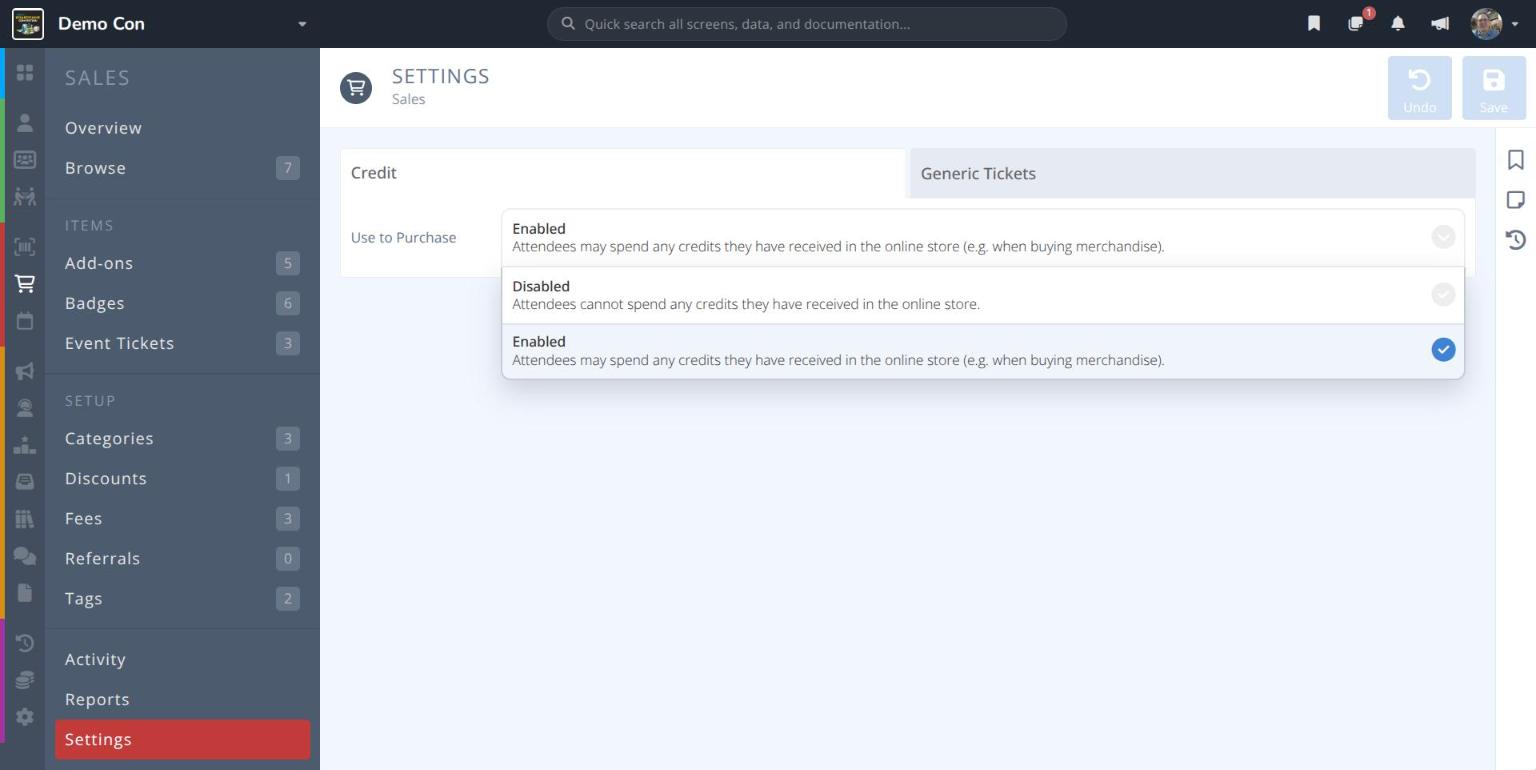
Use to Purchase- Whether attendees can spend their credit in the online store:- Disabled - Attendees cannot spend any credits they have received in the online store.
- Enabled - Attendees may spend any credits they have received in the online store (e.g. when buying merchandise).
Attendees see their credit as Available Credit on the Store tab of the convention.
¶ Generic Tickets
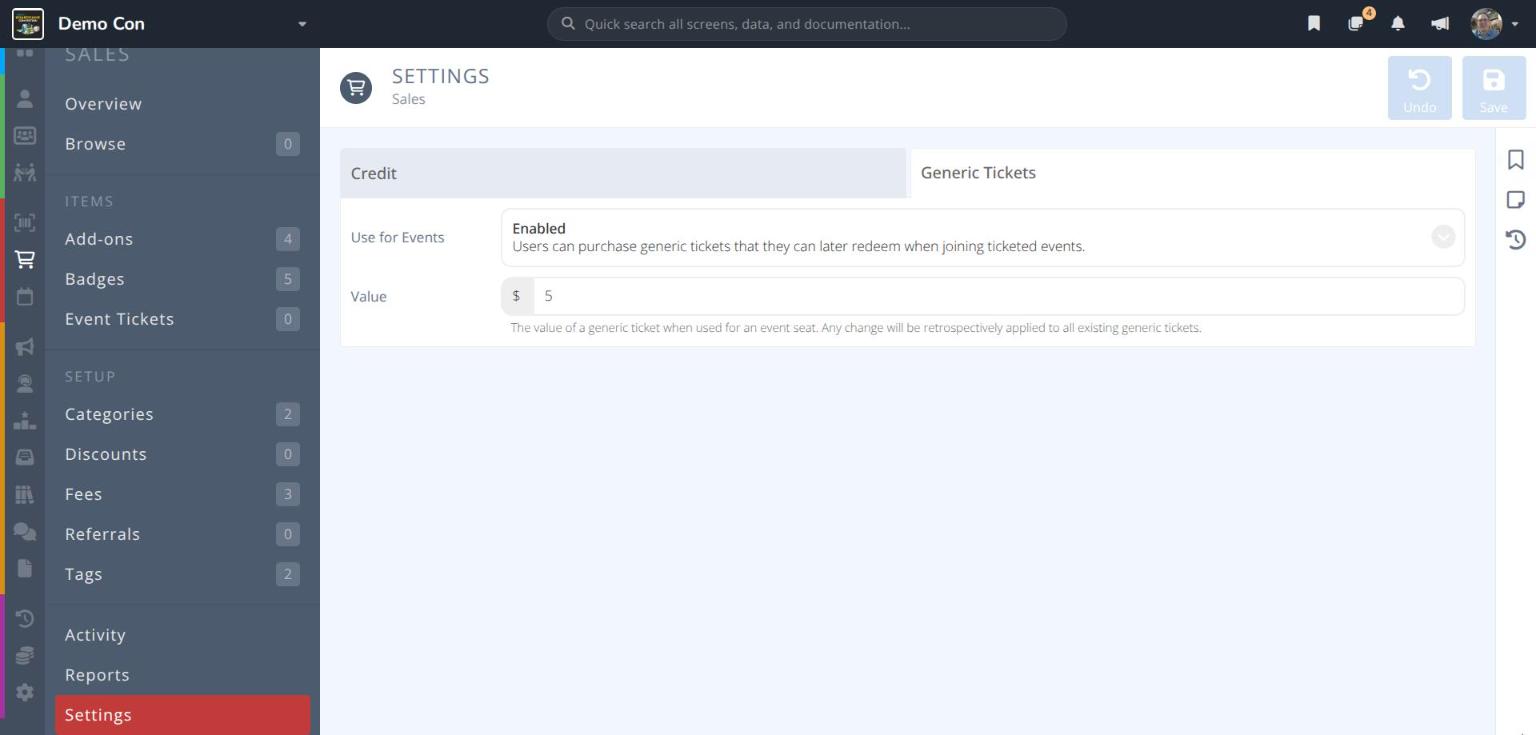
Use for Events- Whether generic tickets can be used in this convention:- Disabled - Generic tickets are not used for ticketed events.
- Enabled - Users can purchase generic tickets that they can later redeem when joining ticketed events.
Value- The value of one generic ticket when it is used for an event seat (e.g. $5).
Caution: Changing the Value is applied retrospectively to every existing generic ticket, not just new ones.
¶ Procedures
¶ Let Attendees Spend Store Credit
- From the menu click .
- On the Credit tab, click Use to Purchase and choose Enabled.
- Click .
Attendees can now put their Available Credit toward purchases. At CHECKOUT, they choose Pay with Credit instead of Pay by Card. A Credit line (1) takes the amount off the Total, and Pay with Credit (2) shows their balance before and after the purchase.
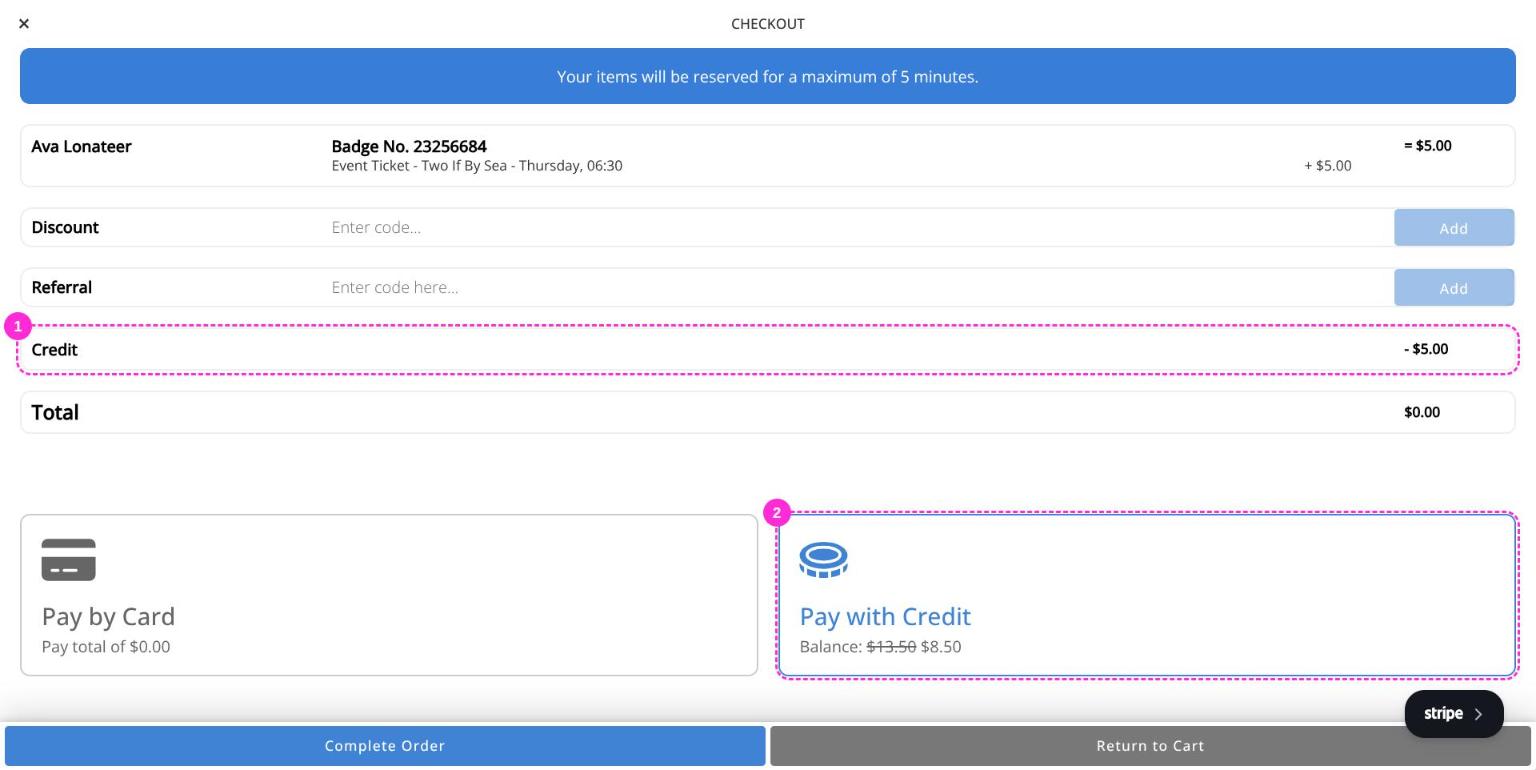
Note: No Processing Fee is charged when an order is paid with credit. In the example above, the $0.31 Processing Fee shown with Pay by Card is removed, and the attendee pays $5.00 in credit.
¶ Turn On Generic Tickets
- From the menu click , then click the Generic Tickets tab.
- Set Use for Events to Enabled.
- Enter the Value of one generic ticket when it is used for an event seat (e.g. $5).
- Click .
Next, create the generic ticket items attendees will buy. See Create a Generic Ticket.
Tip: Set the Value before you start selling generic tickets. A later change also changes the value of every generic ticket already sold.
¶ Next Steps
Add-ons- Create generic tickets and ticket bundles to sell.Event Tickets- Set up ticketed events that attendees can buy tickets for, or redeem generic tickets against.