¶ Organization: Billing
¶ Overview
Billing is where your organization gets paid. From here you can:
- Verify your identity and connect your bank account through Stripe, so you receive payouts
- See sales, net revenue and payouts for all your conventions together
- See every payout made to your bank account
- See who changed your billing details, and when
To see the billing of one convention, such as its fees and refunds, see Convention: Billing.
From your organization's menu, click in the ADMIN group.
¶ Menu Breakdown
Overview- Sales, net revenue and payouts across your conventionsPayouts- Every payout to your bank account- Activity - Changes to your billing details. It works like other Activity pages. See
Activity. Settings- Identity verification and your bank account
¶ Common Procedures
¶ Overview Screen
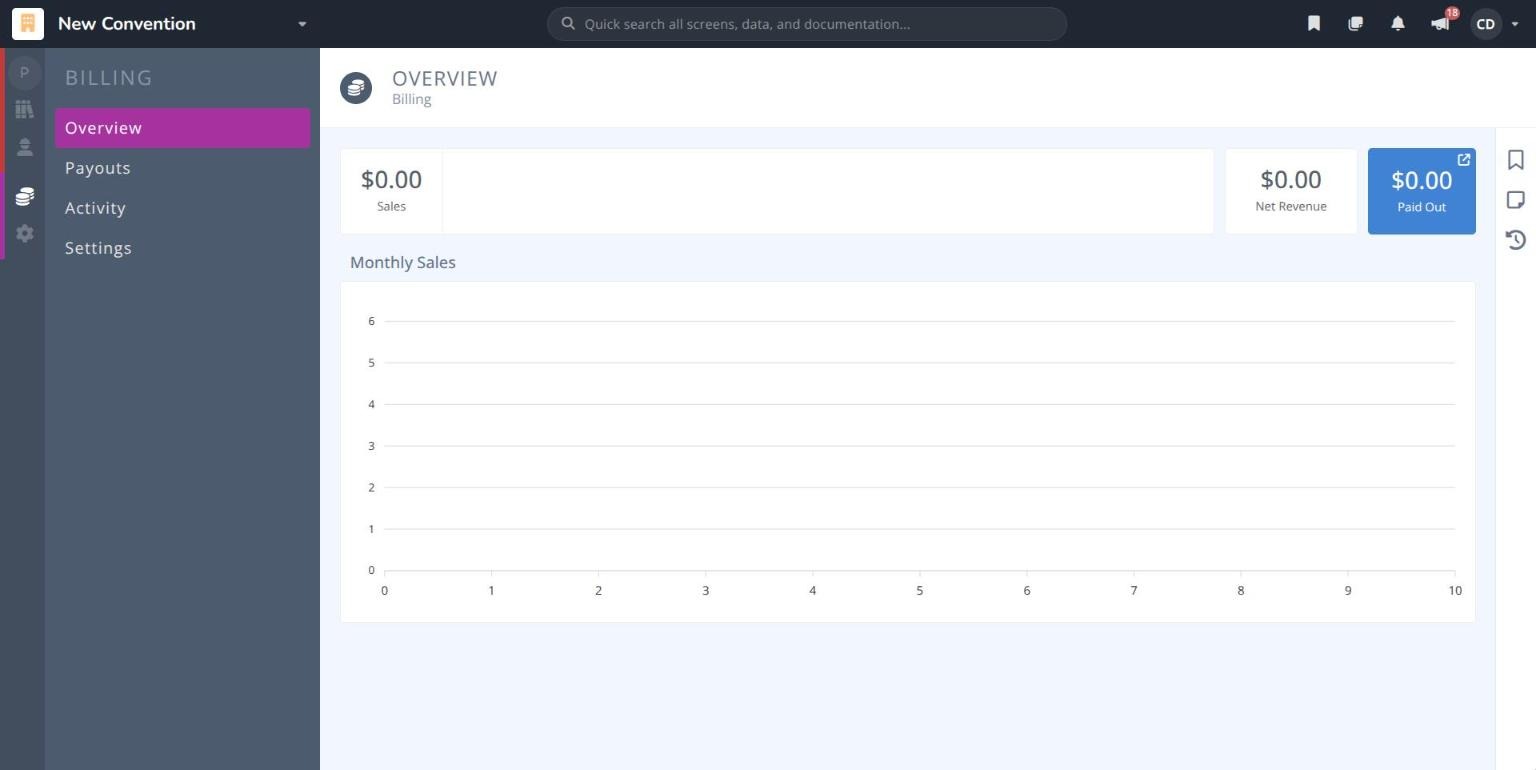
- Sales - The total of all sales across your conventions, with a line showing when they happened.
- Net Revenue - What you keep after refunds and fees.
- Paid Out - What has been paid to your bank account. Click to open your payouts.
- Monthly Sales - Sales each month.
¶ Payouts
Payouts lists every payment made to your bank account, for all your conventions. Sales are paid out daily once your bank account is connected. For when payouts start and what each column means, see Convention: Billing.
¶ Settings
Settings shows where you are in connecting your bank account:
-
CONNECT BANK ACCOUNT - Not started. Click the banner to begin.

-
CONTINUE VERIFYING IDENTITY - Identity verification was started but not finished. Click the banner to carry on. Enter your
Account NumberandRouting Numberunder Confirm Bank Account, then click .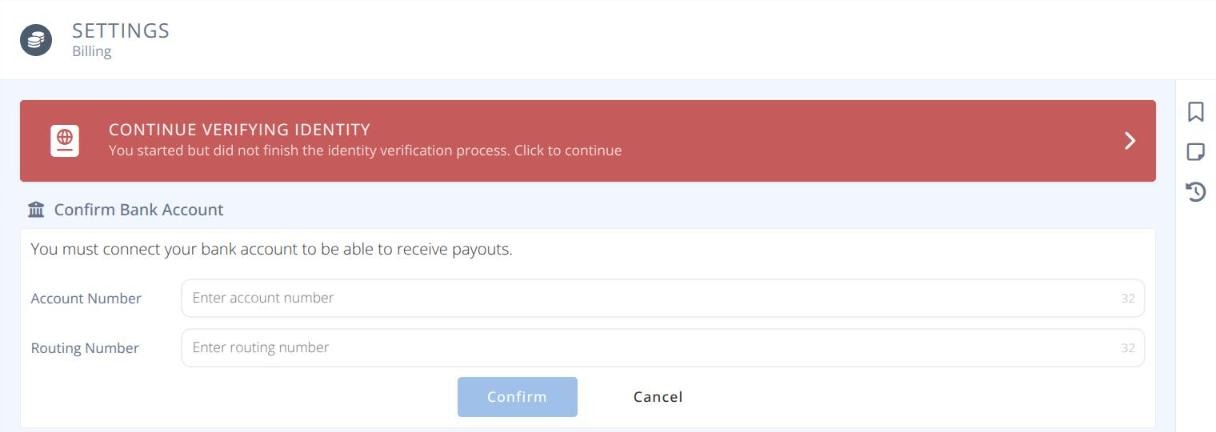
-
IDENTIFICATION VERIFIED and BANK ACCOUNT CONNECTED - You are ready to receive payouts. Click the bank account message to change your details.
¶ Procedures
¶ Connect Your Bank Account
Do this as soon as your organization is set up. Stripe's checks can take a day or two.
- From your organization's menu, click , then Settings.
- Click CONNECT BANK ACCOUNT. Stripe's secure onboarding opens.
- Follow Stripe's steps to tell them about your business and verify your identity. When you finish, you return to Cardboard Connect.
- Under Confirm Bank Account, enter your
Account NumberandRouting Number, then click . - Come back in a day or two to check that Settings shows IDENTIFICATION VERIFIED and BANK ACCOUNT CONNECTED.
Note: Stripe's verification is outside Cardboard Connect's control. If you get stuck, contact Stripe Support, then let us know if it isn't resolved.
Tip: If you stop partway, the banner changes to CONTINUE VERIFYING IDENTITY. Click it to pick up where you left off.
¶ Next Steps
Convention: Billing- Fees, refunds and payouts for one convention.Quick Setup Guide- Open registration for your first convention.