¶ Convention: Billing
¶ Overview
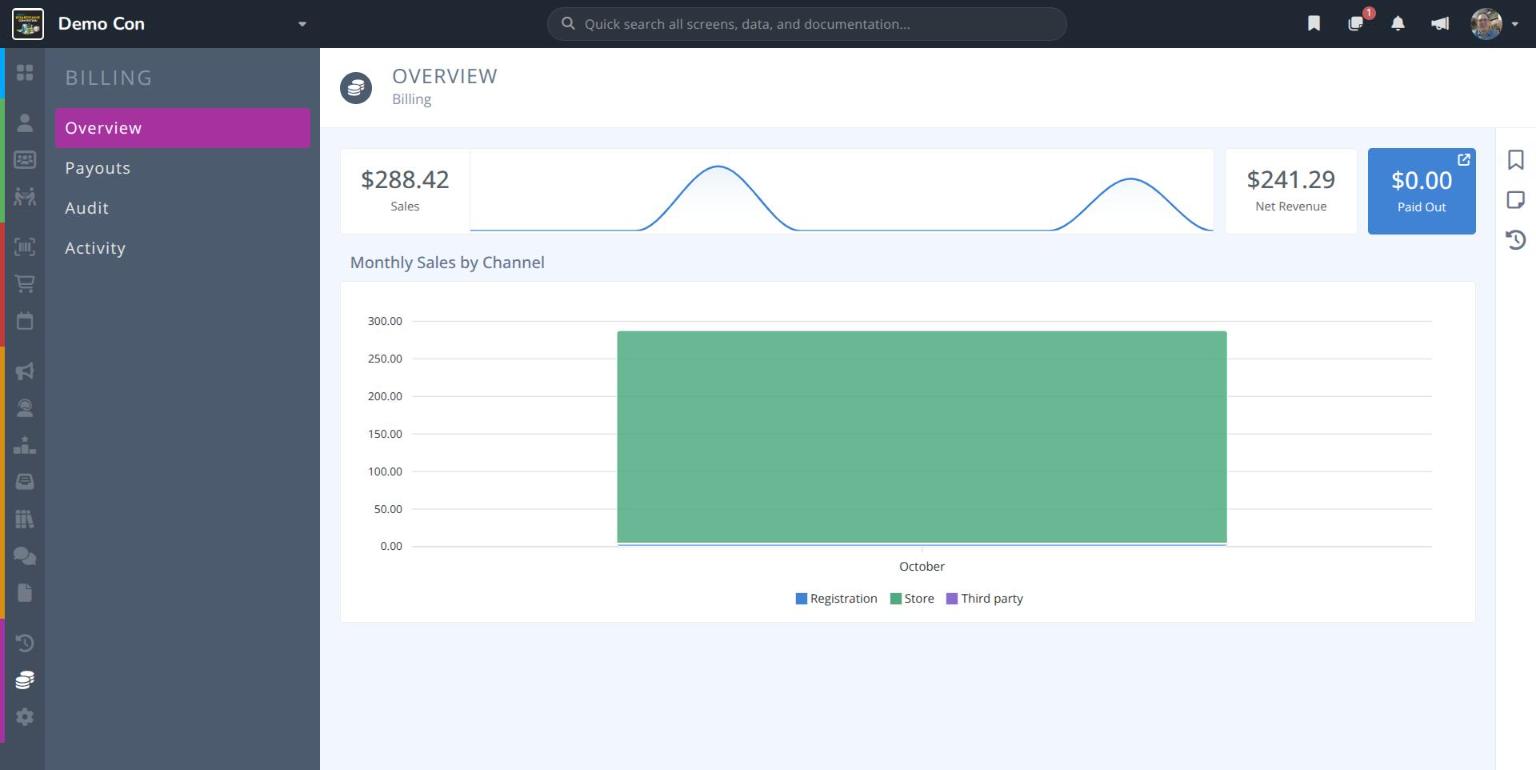
Billing shows the money side of your convention: what attendees have paid, the fees taken, what is left for you (your net revenue), and what has been paid out to your bank account.
From the main menu, click in the ADMIN group. Billing has its own menu:
Overview- Your totals at a glancePayouts- Payments to your bank accountAudit- Every payment, refund, credit and fee- Activity - Changes made in Billing (see
Activity)
Note: These pages cover this convention only. To see the totals for all of your organization's conventions together, open Billing for the organization instead.
¶ Common Procedures
¶ Overview Screen
- Sales - The total paid by attendees, with a chart of sales over time
- Net Revenue - What is left after fees and refunds
- Paid Out - How much has been paid to your bank account so far
- Monthly Sales by Channel - Sales each month, split into Registration, Store and Third party
¶ Payouts
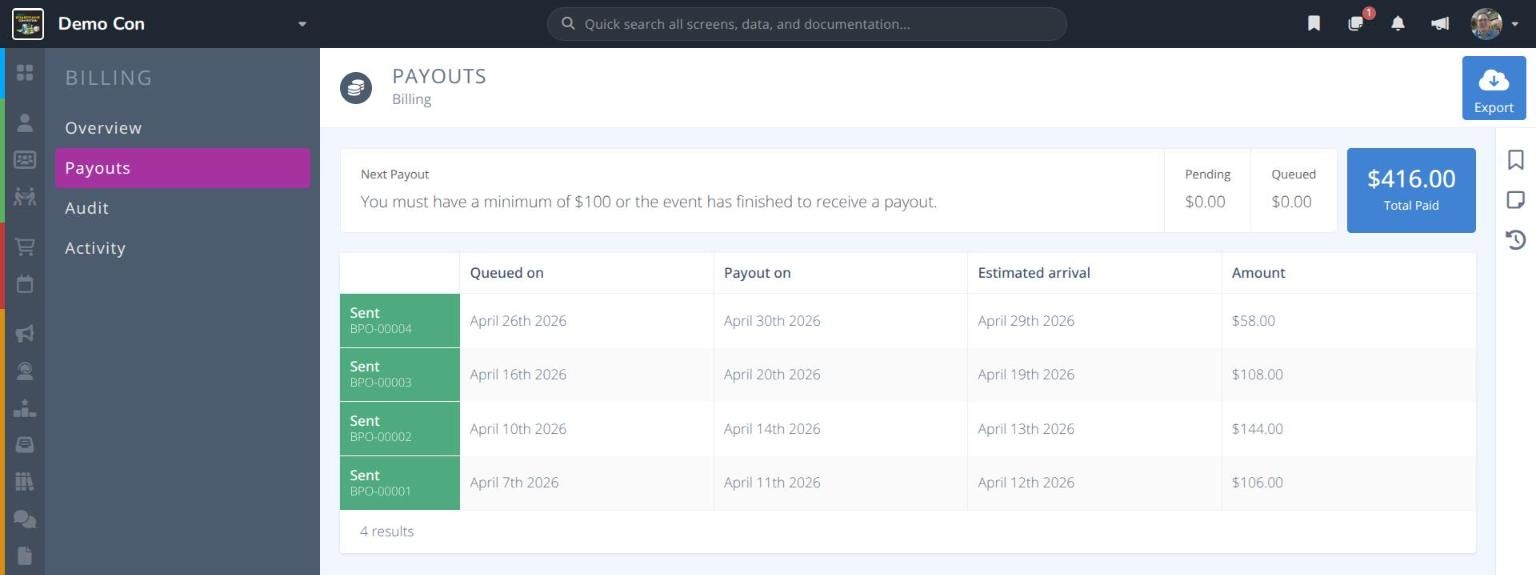
Payouts shows:
- Next Payout - When your next payout is due, or why one isn't due yet. For example:
- You must connect your bank account to receive payouts.
- You must have a minimum of $100 or the event has finished to receive a payout.
- Pending - Revenue that hasn't been queued for a payout yet
- Queued - Revenue waiting to be paid out
- Total Paid - Everything paid to your bank account so far
Each payout is listed below the totals:
Status- The payout's status (e.g. Sent) and reference number (e.g. BPO-00004)Queued on- When the payout was queuedPayout on- When it was paid outEstimated arrival- When the money is expected in your bank accountAmount- How much was paid
Click to download your payouts as a CSV file.
¶ Audit
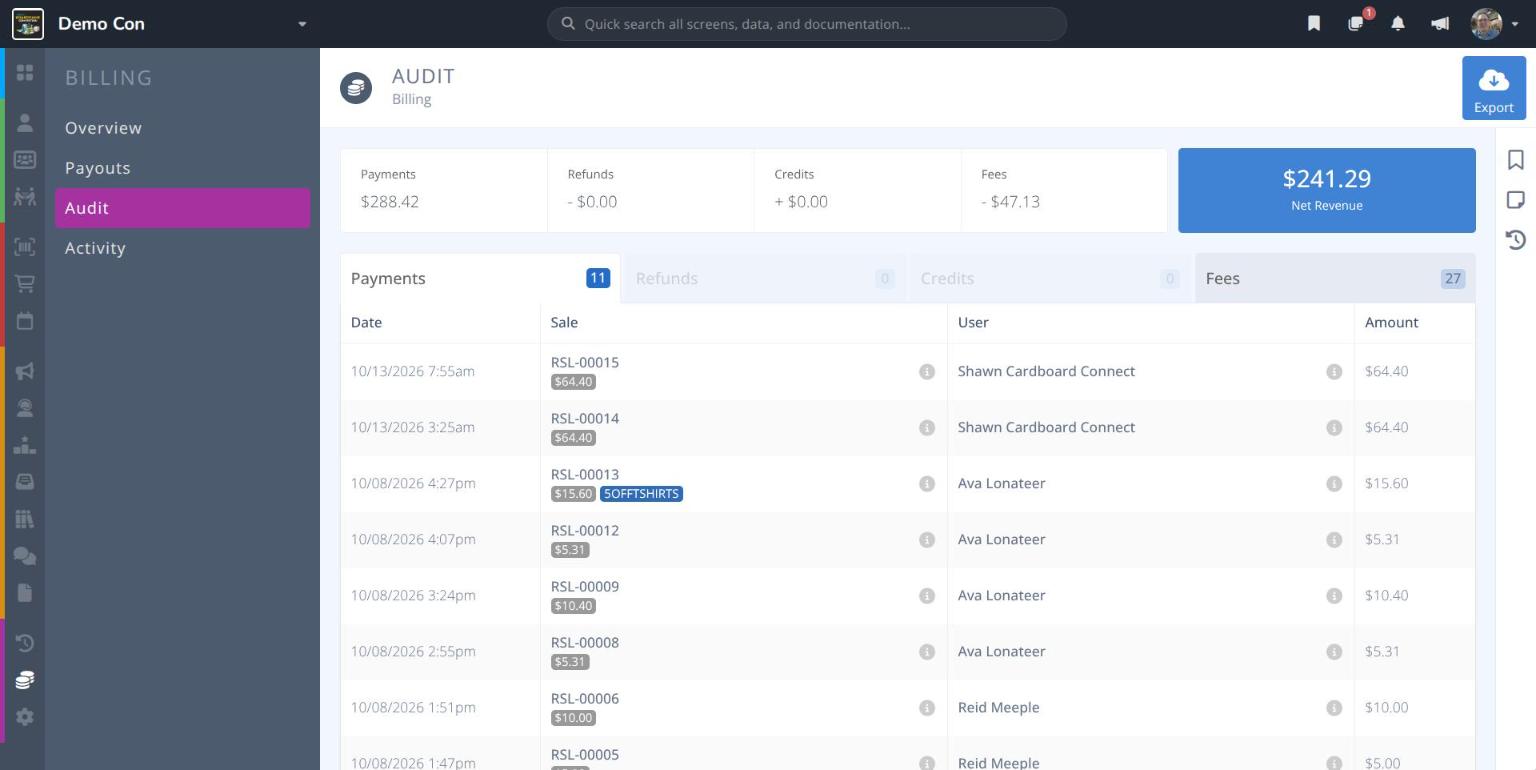
Audit is the full record of the money in and out of your convention. The totals at the top add up to your Net Revenue:
| Total | Meaning |
|---|---|
| Payments | Money paid by attendees |
| Refunds | Money refunded to attendees (taken off) |
| Credits | Credits added to your revenue |
| Fees | Fees taken from your revenue (taken off) |
| Net Revenue | What is left for your convention |
Each tab lists the records behind one total, with how many there are:
- Payments -
Date,Sale(its reference, amount and any discount code used),UserandAmount - Refunds - Each refund paid back to an attendee's payment method
- Credits - Each credit added
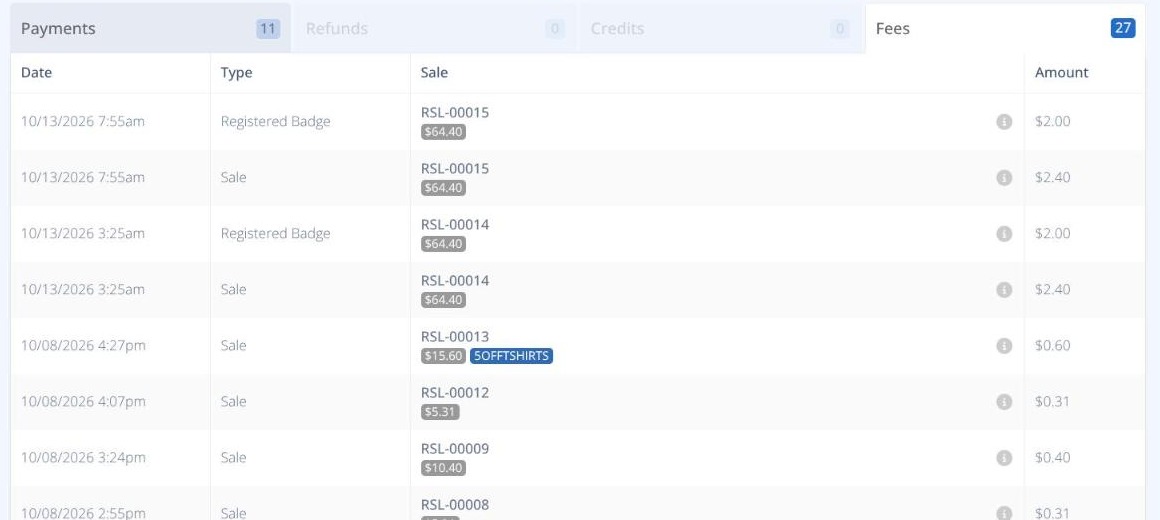
- Fees -
Date,Type(e.g. Sale or Registered Badge),SaleandAmount
Click beside a sale or user for a quick view of it.
Sales.
¶ Procedures
¶ Check Your Payouts
- From the main menu, click , then click Payouts.
- Check Next Payout. If it asks you to connect your bank account, do that before your first payout is due. Payouts start once you have at least $100, or when your event has finished.
- Compare Pending, Queued and Total Paid with your Net Revenue on the Overview.
¶ Find the Fees on a Sale
- From the main menu, click , then click Audit.
- Click the Fees tab.
- Find the sale's reference (e.g. RSL-00015) in the
Salecolumn. A sale can have more than one fee, such as a Sale fee and a Registered Badge fee.
¶ Export the Billing Audit
- From the main menu, click , then click Audit.
- Click .
- Download the CSV file when it is ready.