¶ Volunteers: Pre-approved
¶ Overview
A pre-approved assignment is a slot you have approved for an applicant who doesn't have a badge yet. It holds their place in the slot, and becomes Confirmed once they register their badge.
From the menu click in the ASSIGNMENTS group.
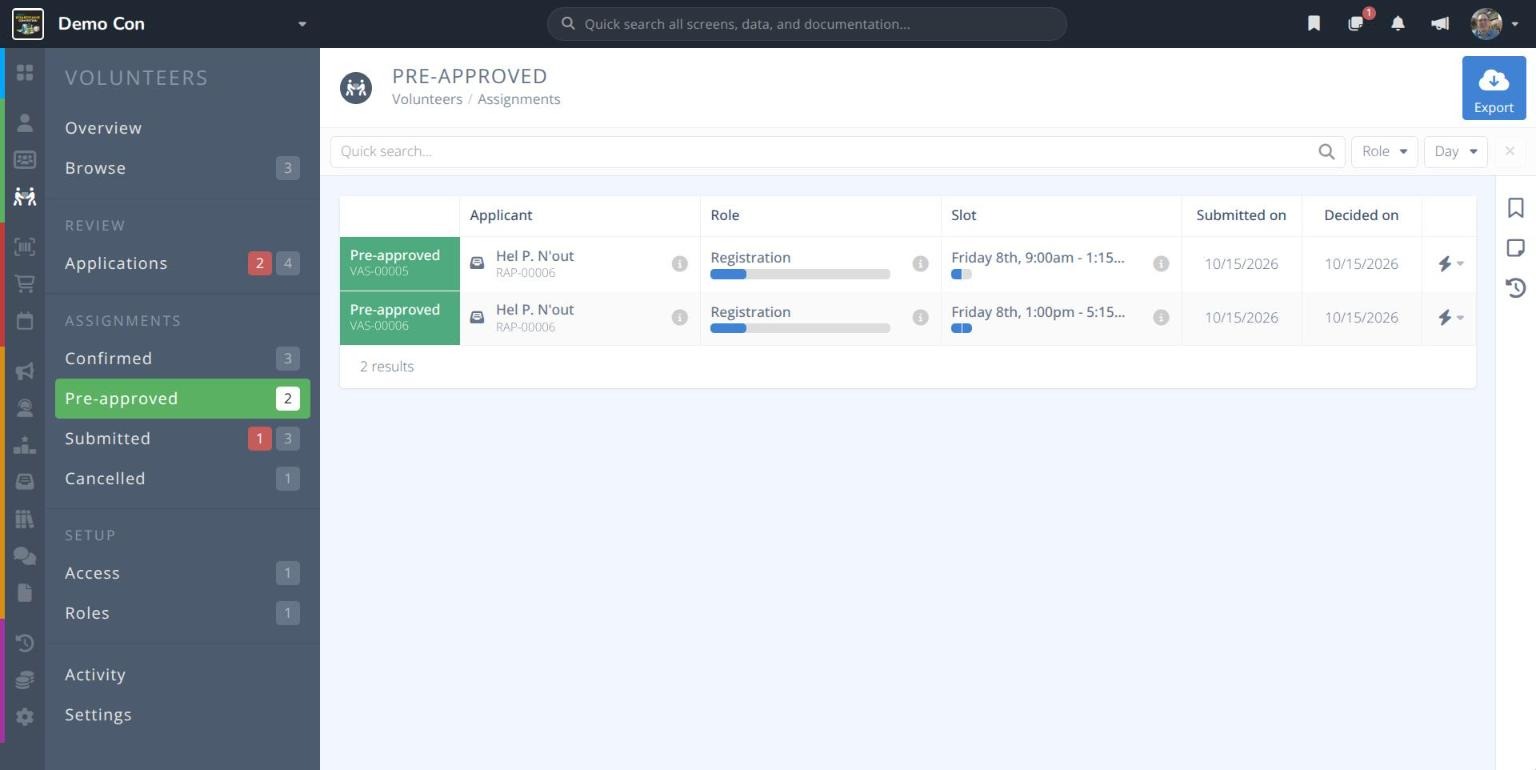
Each row is one assignment. It shows its status and reference, the Applicant and their application reference, the Role and Slot, when it was Submitted on, and when you Decided on it. Click to quick-view the application, role or slot.
To find assignments, use the Quick search... box, Role and Day. Click to download the list as a CSV file.
¶ Common Procedures
¶ Procedures
¶ Retract a Pre-approval
- From the menu click .
- Click on the assignment and choose Retract decision.
- Click .
The assignment goes back to Pending on the Submitted screen.
¶ Next Steps
Volunteers: Applications- Approve the application so the applicant can register.