¶ Volunteers: Confirmed
¶ Overview
The Confirmed screen lists every assignment that is set: these volunteers are expected for their slots.
From the menu click in the ASSIGNMENTS group.
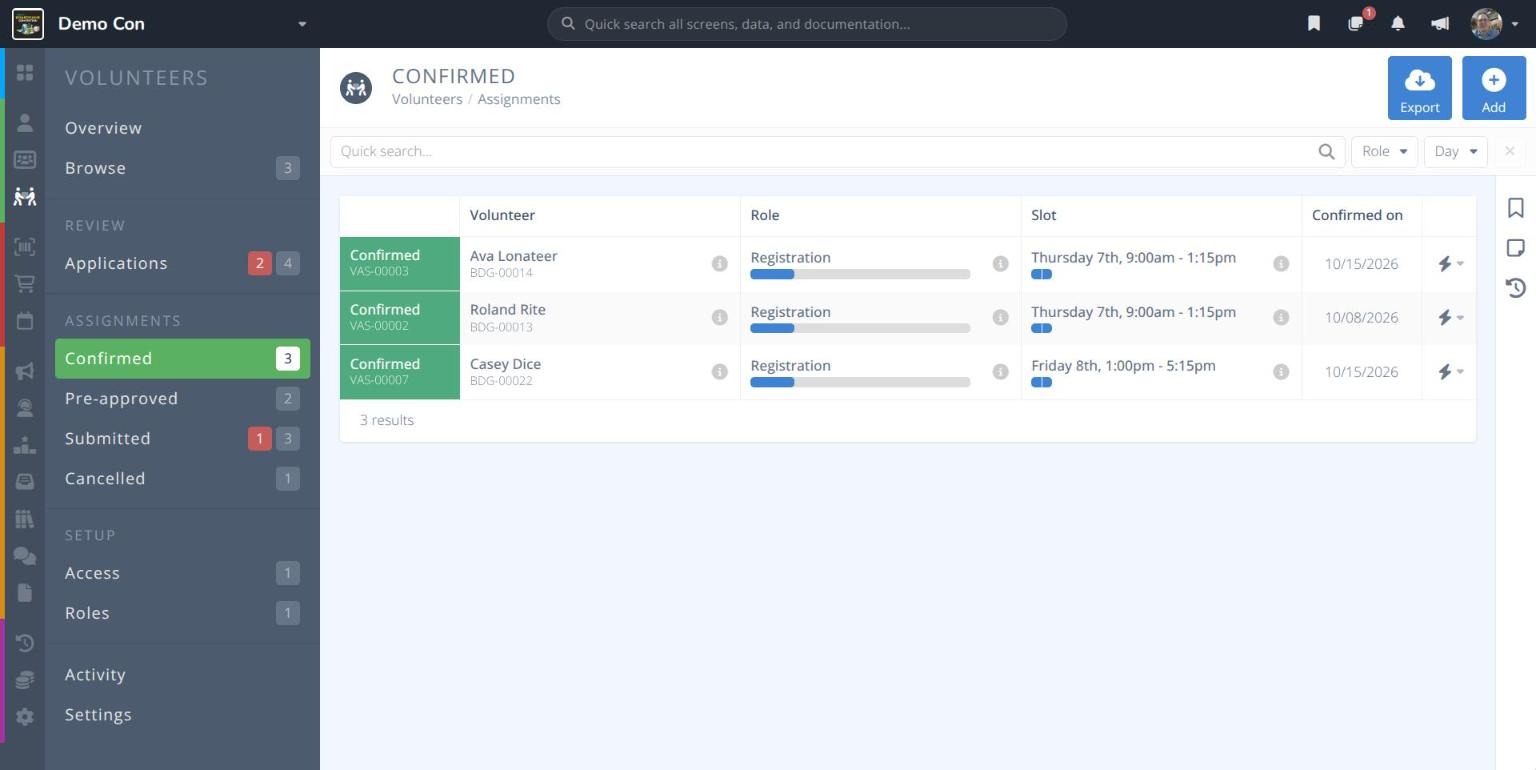
Each row is one assignment. It shows its status and reference (e.g. VAS-00001), the Volunteer, the Role and Slot (the bars show how full they are), and when it was Confirmed on. Click to quick-view the volunteer, role or slot.
To find assignments, use the Quick search... box, Role and Day. Click to download the list as a CSV file, e.g. a sign-in sheet for one day.
¶ Common Procedures
¶ Procedures
¶ Add an Assignment
The assignment is confirmed straight away.
- From the menu click , then click .
- Search for the
Attendeeand choose them. - Choose the
Role, then theSlot. - Click .
¶ Cancel an Assignment
- From the menu click .
- Click on the assignment and choose Cancel assignment.
- Click .
The assignment moves to Cancelled and the slot opens up again.
¶ Next Steps
Volunteers: Assignments- What each assignment status means.Volunteers- Each volunteer's total hours.