¶ Groups: Settings
¶ Overview
Groups Settings apply to every group at your convention. They decide when and how group leads submit events, whether those events need a room, how group hours are counted, and the key dates groups see on their dashboard.
¶ Common Procedures
Set When Groups Can Submit EventsShow Groups a Timeline of Key DatesWeight the Hours of Group Events
¶ Settings Screen
From the menu click at the bottom of the menu.
The screen has four tabs. After changing a setting, click , or to discard the change.
Click each tab to see the information for that section:
¶ Group Submissions
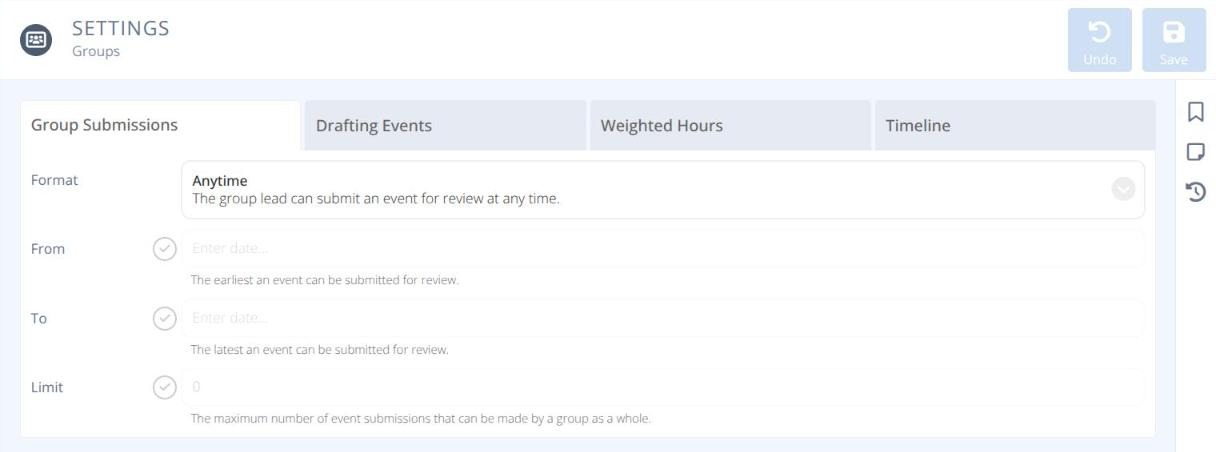
Format- How group leads submit events:- Anytime - The lead can submit an event for review at any time.
- Batch - The lead submits all of the group's events for review at once.
Additional- What happens after the batch:- Allowed - The lead can still submit single events afterwards.
- Not Allowed - No more events can be submitted.
From(optional) - The earliest date events can be submitted for review.To(optional) - The latest date events can be submitted for review.Limit(optional) - The most events a group can submit in total.
¶ Drafting Events
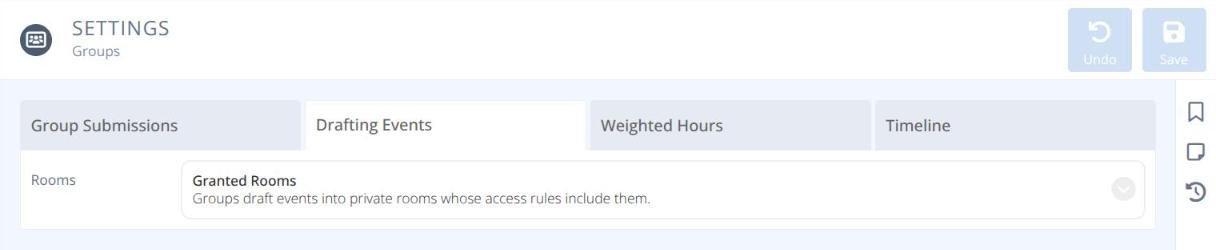
Rooms- Which rooms groups can draft events into:- Granted Rooms - Groups draft events into private rooms whose access rules include them. Each room's own day and time setting decides whether members pick one time or give preferred times.
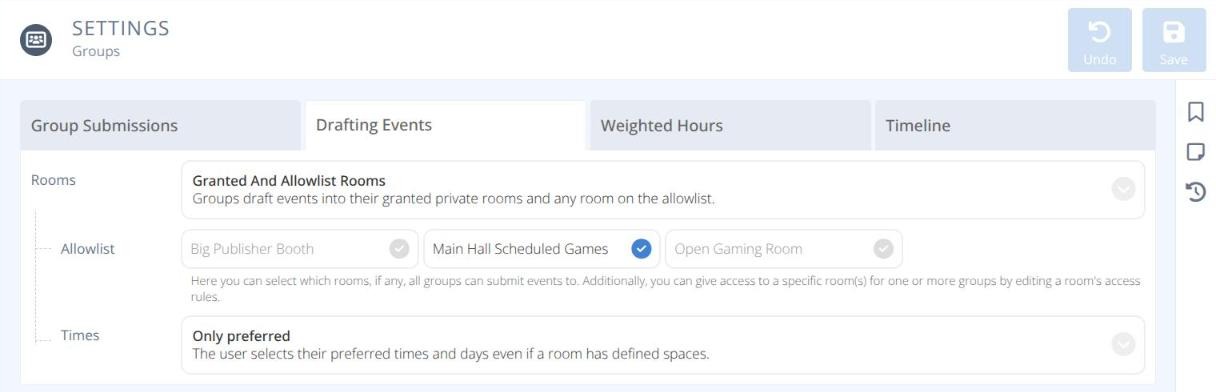
- Granted And Allowlist Rooms - Groups draft events into their granted private rooms and any room on the allowlist.
Allowlist- Extra rooms every group can draft events into. Open (public) rooms are only offered to groups through the allowlist.Times- How the time is chosen:- Only preferred - Members choose their preferred days and times, even if the room has spaces.
- Room specific - Members can pick a space at a set day and time, if the room allows it.
To give one group a room of its own, add the group to that room's access rules. See Limit Who Can Submit to a Room.
Note: A group with no rooms can't create events. Its members see "Sorry, there are no available rooms to create events in." Grant the group a room, or add a room to the
Allowlist. Drafts already in a room keep working if the group later loses access to it.
¶ Weighted Hours

Weighted- Whether group event hours are adjusted:- No - Hours are counted as they are.
- Yes - Hours are multiplied by rules, such as event type or player count.
Name(optional) - What group leads see the weighted hours called.Rules- The rules that adjust hours. Click to add one.
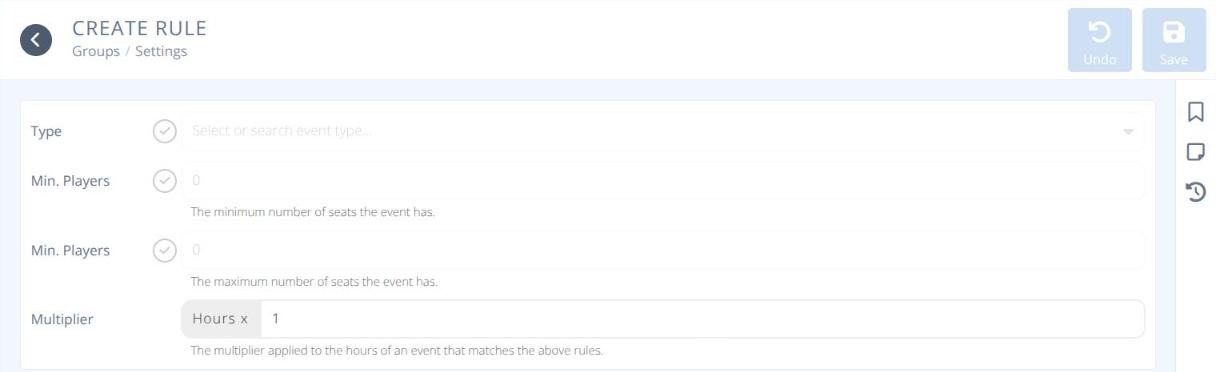
Each rule has:
Type(optional) - The rule applies to events of this type.Min. Players(optional) - The rule applies to events with at least this many seats.- Max. players (optional) - The rule applies to events with at most this many seats. This field is currently also labelled Min. Players.
Multiplier- What the hours of a matching event are multiplied by, e.g. Hours x 2.
¶ Timeline
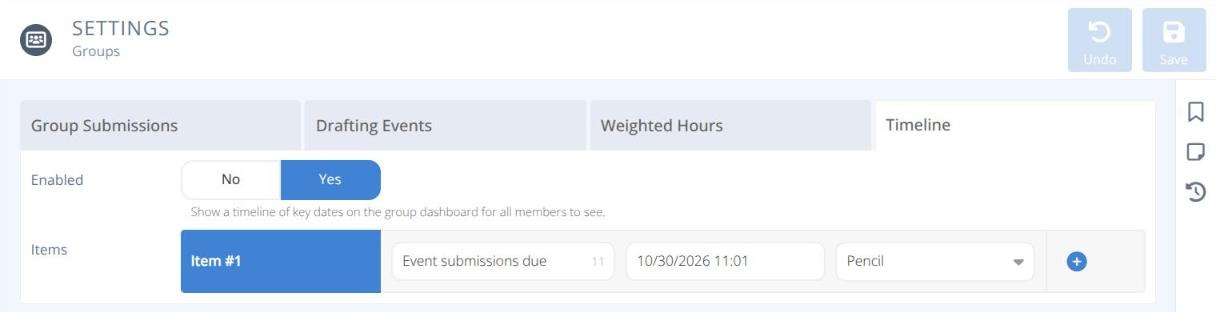
Enabled- Whether groups see a timeline of key dates on their group dashboard:- No - No timeline.
- Yes - The timeline is shown to all group members.
Items- Each date on the timeline, with a label, a date and time, and an icon. Click to add another.
¶ Procedures
¶ Set When Groups Can Submit Events
- From the menu click .
- On the Group Submissions tab, choose the
Format. For Batch, choose whetherAdditionalevents are allowed. - Tick
FromandToand choose the dates of your submission window. - To cap how many events each group can submit, tick
Limitand enter the number. - Click .
¶ Show Groups a Timeline of Key Dates
Use the timeline to remind groups of deadlines, such as when events are due, when you will approve them, and when they can set up.
- From the menu click , then click the Timeline tab.
- Set
Enabledto Yes. - For each date, enter a label, e.g. Event submissions due, choose the date and time, and choose an icon. An item shows in red until all three are filled in.
- Click to add more dates.
- Click .
¶ Weight the Hours of Group Events
Weighted hours let some events count for more, for example when you ask exhibitors to run a set number of demo hours and larger demos take more effort.
- From the menu click , then click the Weighted Hours tab.
- Set
Weightedto Yes, and enter aNameif you want one. - Click next to
Rules. - Choose the event
Typeand the player counts the rule applies to, and enter theMultiplier. - Click , then save the settings.
¶ Next Steps
Groups- Set each group's member and event approval policies.Groups: Submissions- Review the events groups submit.