¶ Submissions
¶ Overview
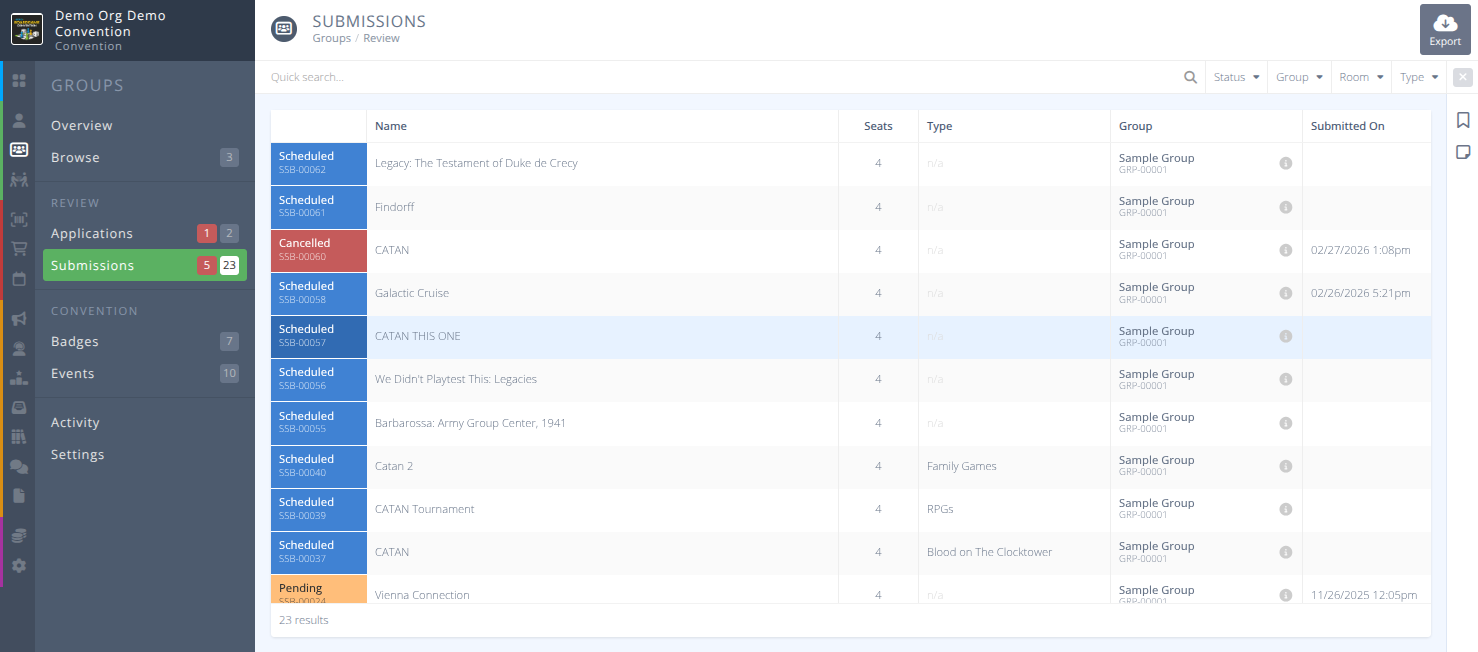
Group submissions will be the events that have been approved by the Group Lead and submitted for approval and scheduling to the convention.
¶ Common Procedures For Group Submissions
¶ Fields
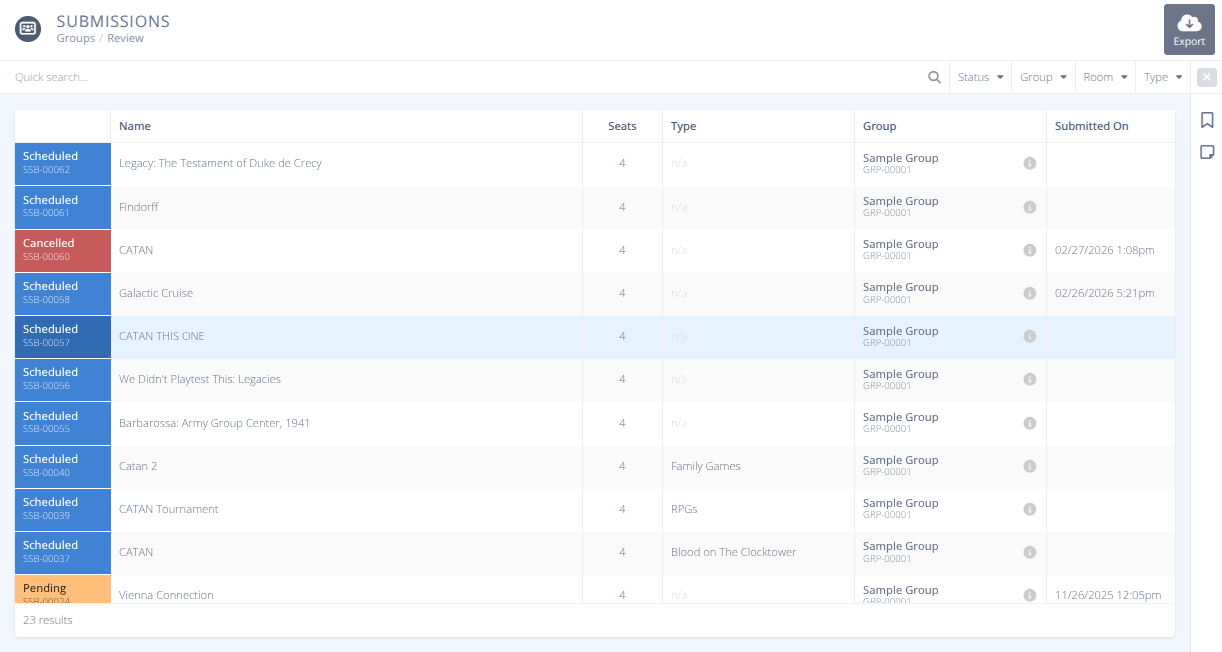
Status- The status of the event, one of:- Pending - The event is pending review and approval.
- Scheduled - The event is scheduled and available to attendees.
- Cancelled - The event has been cancelled and attendees notified.
Name- The Name of the Event.Seats- The total number of seats for the event.Type- The type of event (if any).Group- The group name and identified that submitted the event.Submitted On- The date and time the event was submitted for review.
¶ Procedures
¶ Review a Group Submission
Events submitted for approval by the lead user can be seen here
-
Group event submissions can be found in the menu of the section.
-
Locate the submission you wish to review in the grid using the Quick search... and filters as needed and click on it.
-
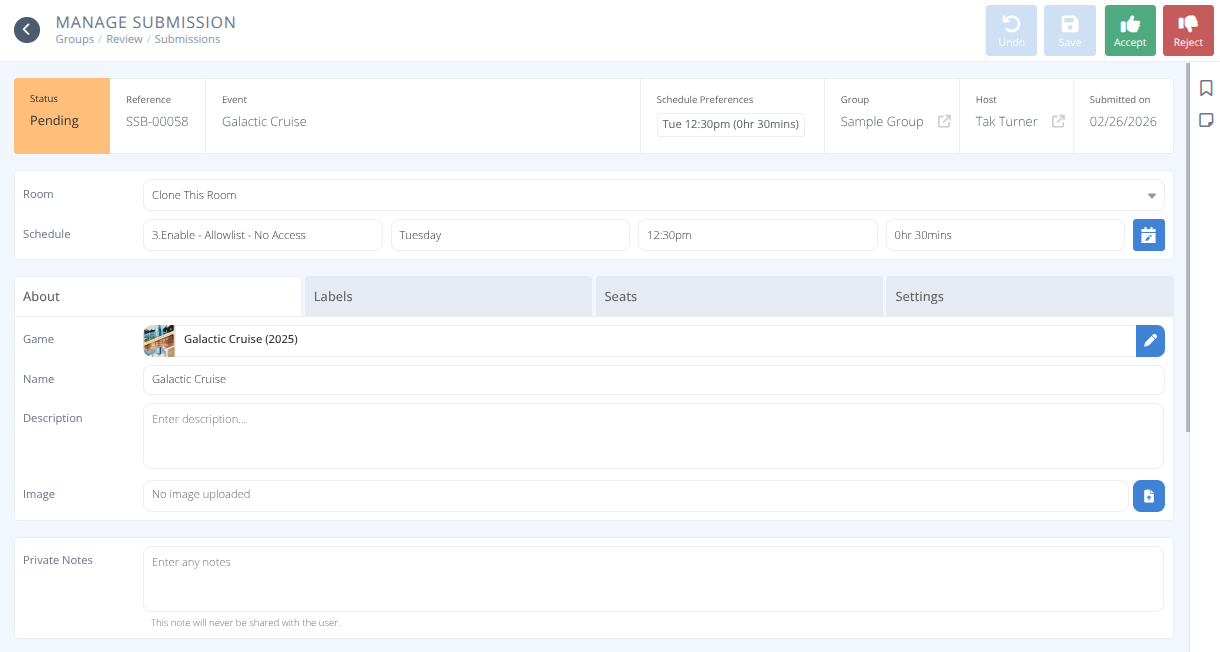
The detailed view of the submission will be shown. You now have a number of possible actions:
¶ Accept a Submission
- To approve an event submission click in the top right of the screen.
-
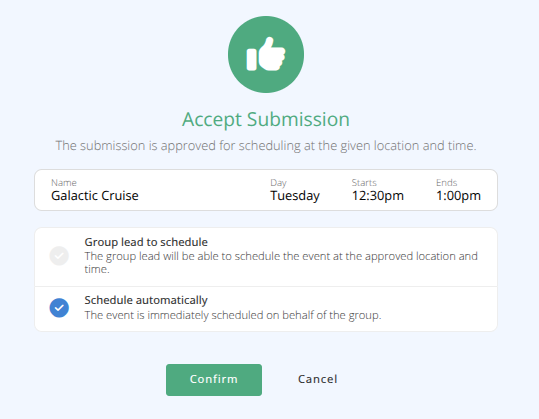
A message will display showing a summary of the event and an option of Schedule automatically or Group lead to schedule. Select your preferred option.
-
Click
 Note: Once a submission has been Scheduled the submission is no longer editable as it has been converted into an Event. You can quickly jump to the event using the Event link in the submission status bar.
¶ Reject a Submission
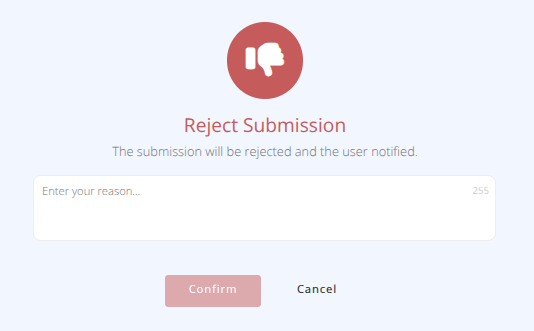
- To reject an event submission click in the top right of the screen.
-
A message will display showing that the event will be rejected. Enter your reason for rejection that will be added to the Submission Discussion.
-
Click
-
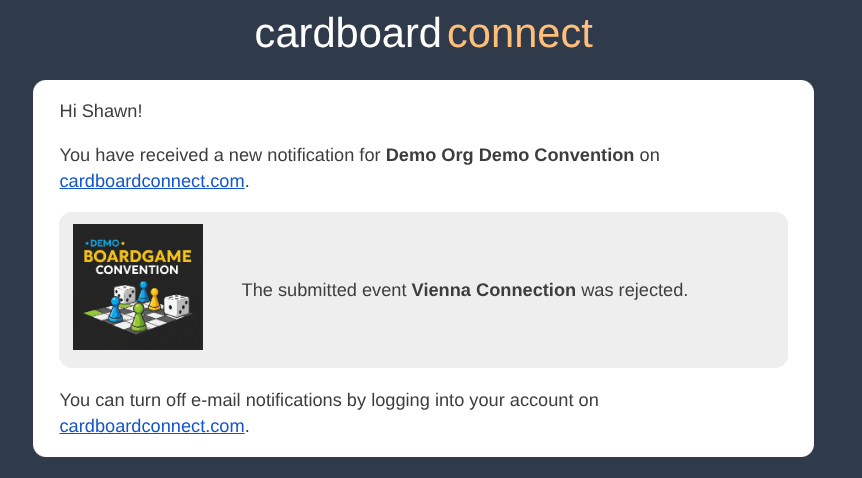
The applicant will receive an email indicating that the submission was rejected.
¶ Retract a Rejected Submission
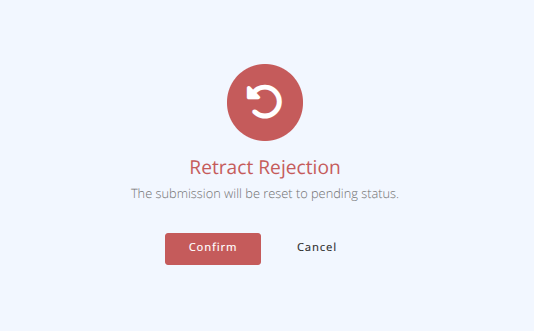
- To retract a Rejected Submission click the button.
- Click
Note: No notification is sent when a rejection is retracted.- The submission will be returned to the Pending status and can be edited and reviewed again.
¶ Edit the Submission
- Edit the event as you would any other event. View the
Eventsdocumentation for more information.
Note: Some fields may not be editable until the Submission has been converted into an Event.- To save your changes click
¶ Add Admin Notes to a Submission
- Add any notes into the Private Notes section and click
- Notes will be added that will be visible to all administrators.
¶ Submission Discussion
- Messages can be sent back and forth between the applicant and administrators with the Submission Discussion section.
The applicant will receive an in-app notification for any messages sent here.
¶ Export Group Submissions
- Group event submissions can be found in the menu of the section.
- Click on the button in the action area of the screen.
- Select the Columns and Settings desired and click
- A csv file will be downloaded with the chosen data.