¶ Attendees Settings
¶ Overview
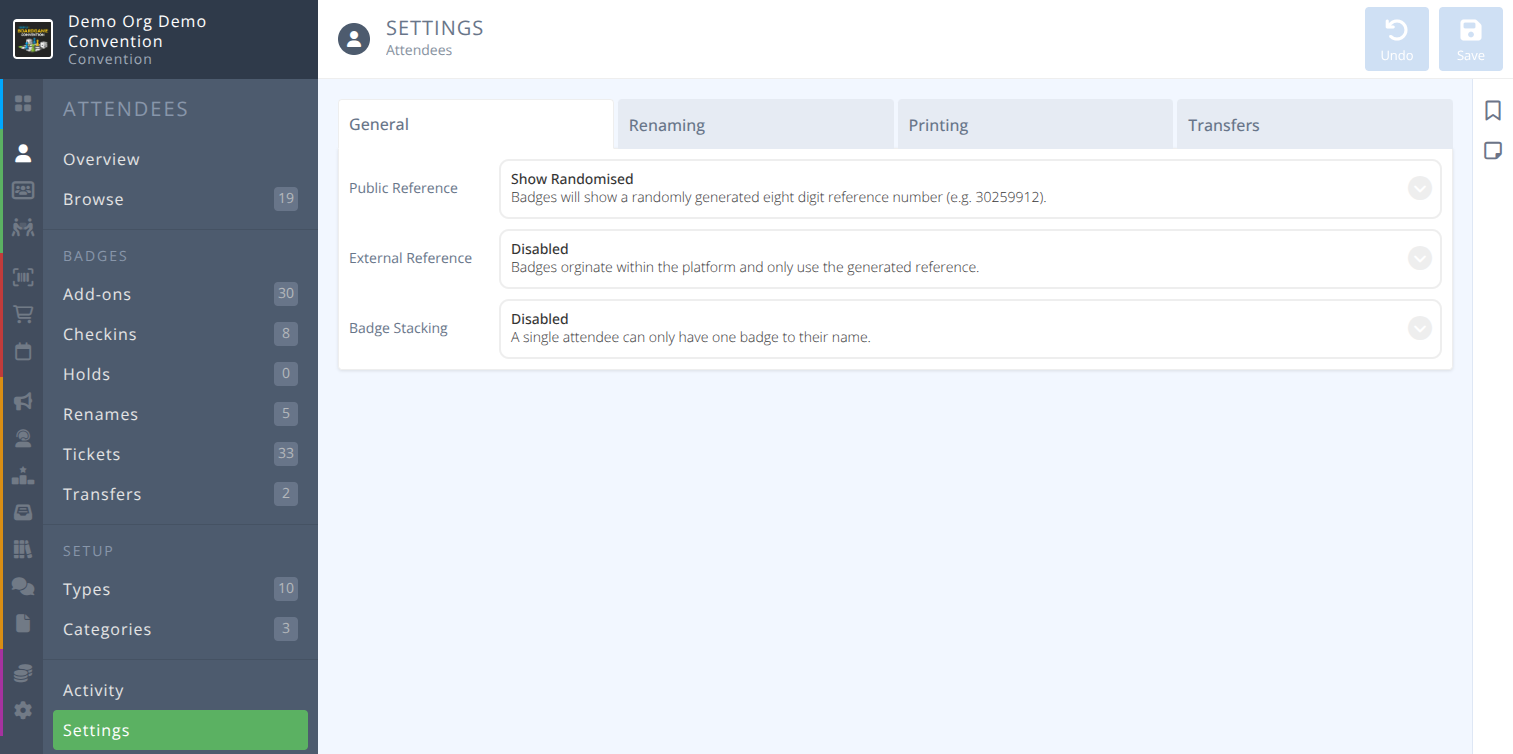
The Attendee settings determine how the convention will handle badge stacking, badge numbering, rename requests, badge printing and badge transfers,
¶ Fields
Select the tab below that corresponds with the tab in the manage interface:

¶ General
| Field | Description |
|---|---|
Public Reference |
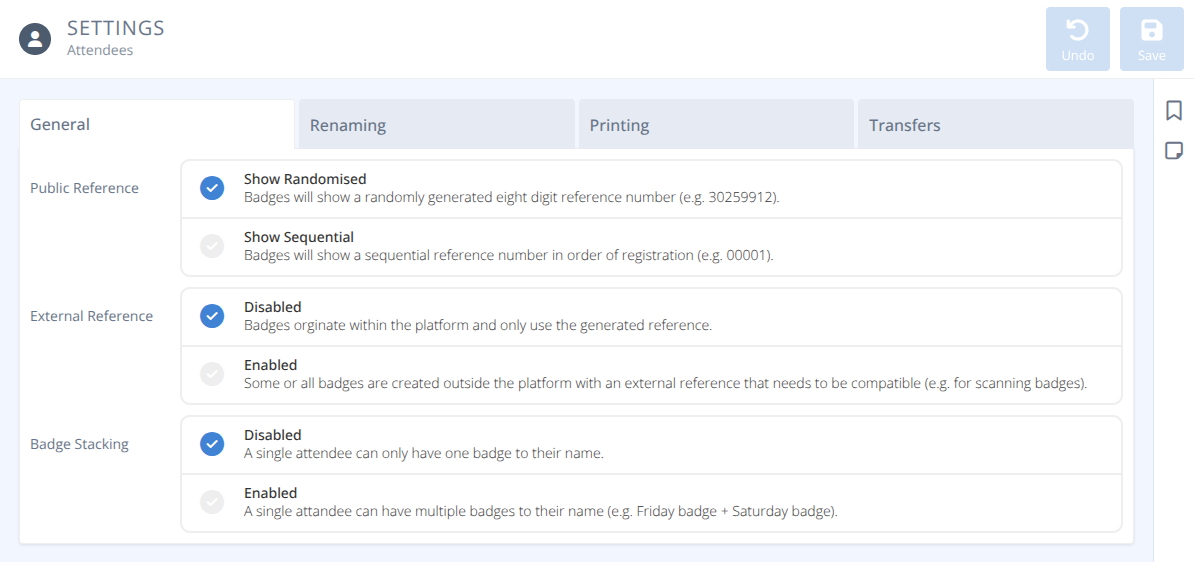
How are external badge numbers determined, either: Show Randomized (Default) : Badges will have a random but unique eight digit reference number Show Sequential : Badges will show a sequental number starting with 00001 |
External Reference |
Is there an external reference number that must be matched, either: Disabled(Default) : Badges originate within the platform and only use the generated reference Enabled : Some or all badges are created outside the platform with an external reference that needs to be compatible (e.g. for scanning badges) |
Badge Stacking |
Can attendees have more than one badge, either: Disabled (Default) : A single attendee can only have one badge to their e-mail address Enabled : A single attendee can have multiple badges of different types to their name (e.g. Friday badge + Saturday badge = Friday/Saturday badge) |
Caution: If badge stacking is enabled badges bought in the store will be automatically stacked. This makes additional managed badge sales incompatible with badge stacking.
¶ Digital Badges
Digital Badges are a way to give an Attendee access to their QR code which allows
- A quick check-in process by scanning the QR code with the Check-in Assistant.
- Allow the convention to go without standard badges and attendees use the app as their badge.
- Allow an Attendee to use the QR code if they have misplaced of do not have their badge with them.
)
| Field | Description |
|---|---|
 Access |
Are Digital Badges used for this convention, either: Disabled(Default) : Attendees will not have access to a digital QR code for their badge. Enabled : Attendees can access a digital QR code for their badge that can be used for check-in. |
via Dashboard |
Are Digital Badges available via the app/website, either: Disabled : The QR code will not be shown on the attendee's badge dashboard. Enabled : The QR code will be displayed on the attendee's badge dashboard for easy access. - From - Specify the date and time at which the QR becomes accessible to attendees. |
via Registration |
Are Digital Badges sent to attendees when they obtain a badge, either: Disabled : No email will be sent containing the QR code when a badge is registered. Enabled : An email containing the QR code will be sent to the attendee when their badge is registered. |
via Dashboard |
Are Digital Badges emailed to the attendee at a specified time, either: Disabled : No bulk email will be sent to attendees. Enabled : A bulk email containing QR codes will be sent to all active badge holders at the scheduled time. - From - Specify the date and time at which the email is sent to attendees. |
¶ Attendee Experience
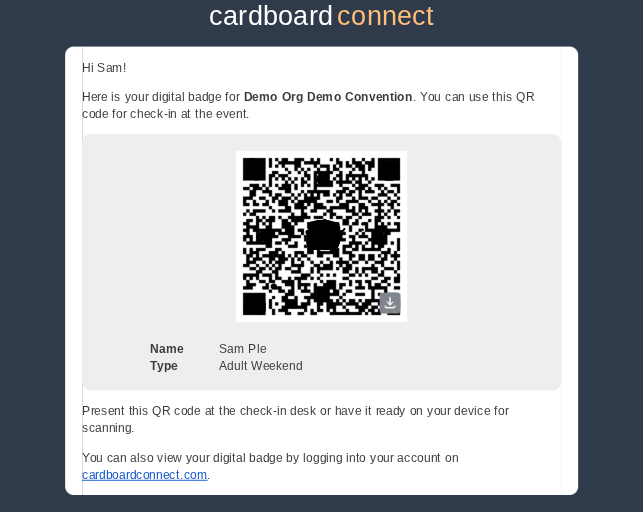
¶ Sample Email
Emails are sent by no-reply@cardboardconnect.com
¶ Renaming
| Field | Description |
|---|---|
Attendees |
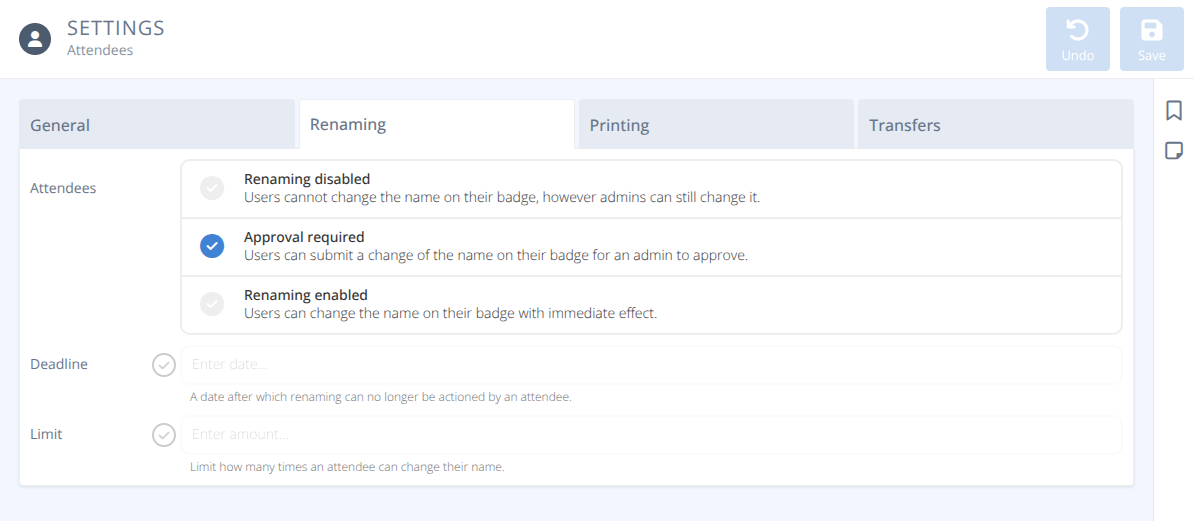
Can attendees rename their badge, either: Renaming disabled : Users cannot change the name on their badge, however admins can still change it Approval required (Default) : Users can submit a change of the name on their badge for an admin to approve Renaming enabled : Users can change the name on their badge with immediate effect |
Deadline |
If enabled: The date after which renaming can no longer be actioned by an attendee |
Limit |
If enabled: The number of times an attendee can change their name |
¶ Printing
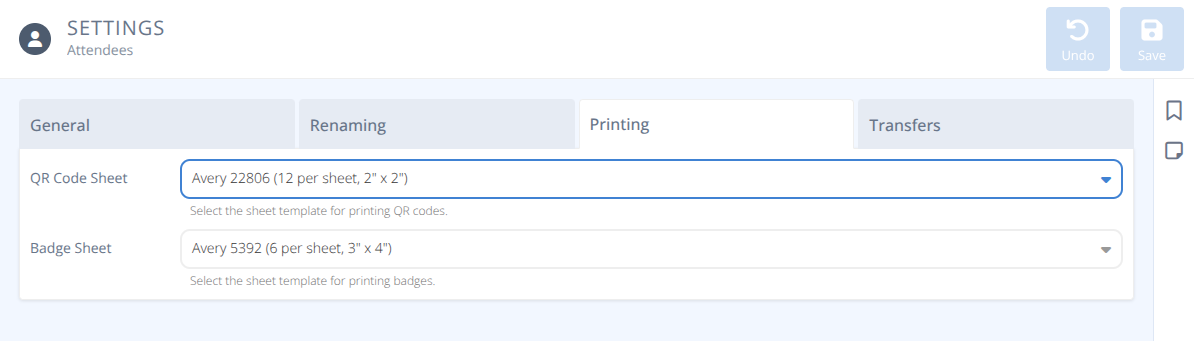
| Field | Description |
|---|---|
QR Code Sheet |
When batch printing badge QR codes which template is used, either: Avery 22806 : 12 per sheet, 2" x 2" Avery 22805 : 24 per sheet, 1.5" x 1.5" |
Badge Sheet |
When batch printing badges which template is used, either: Avery 5392 : 6 per sheet 3" x 4" |
¶ Transfers
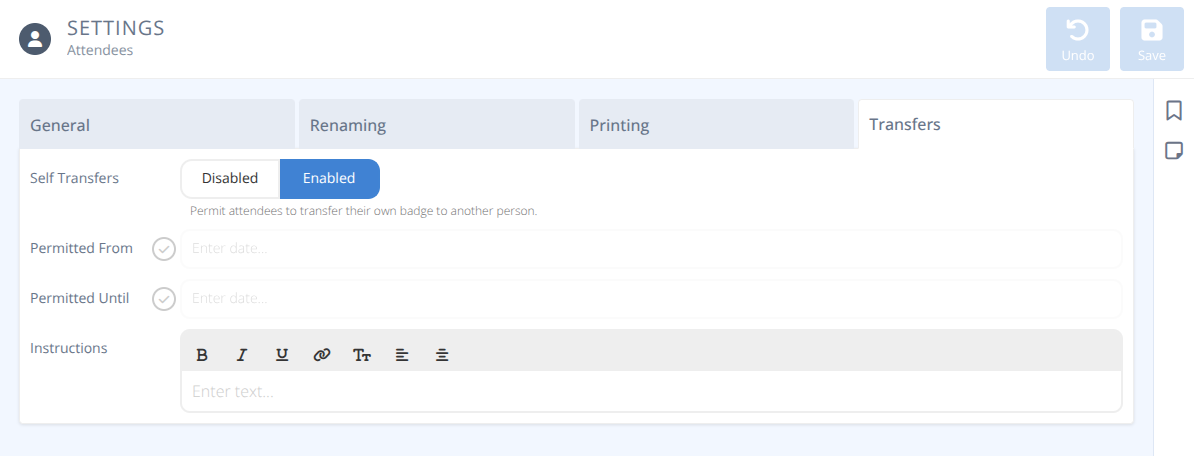
| Field | Description |
|---|---|
Self Transfers |
Can attendees to transfer their badge to another person, either: Enabled : Attendees can transfer their badge Disabled : Only administrators can transfer badges |
Permitted From |
Badge transfers are permitted starting at this date/time |
Permitted Until |
Badge transfers are permitted until this date/time |
Instructions |
Text that will be displayed to attendees when transferring their badge |
Note: No money in the system is exchanged when a badge is transferred.
Any compensation for a badge transfer must be done outside of the platform.
As part of the terms and services, badges Can not sell at a higher price than purchased.