¶ Option Sets
¶ Overview
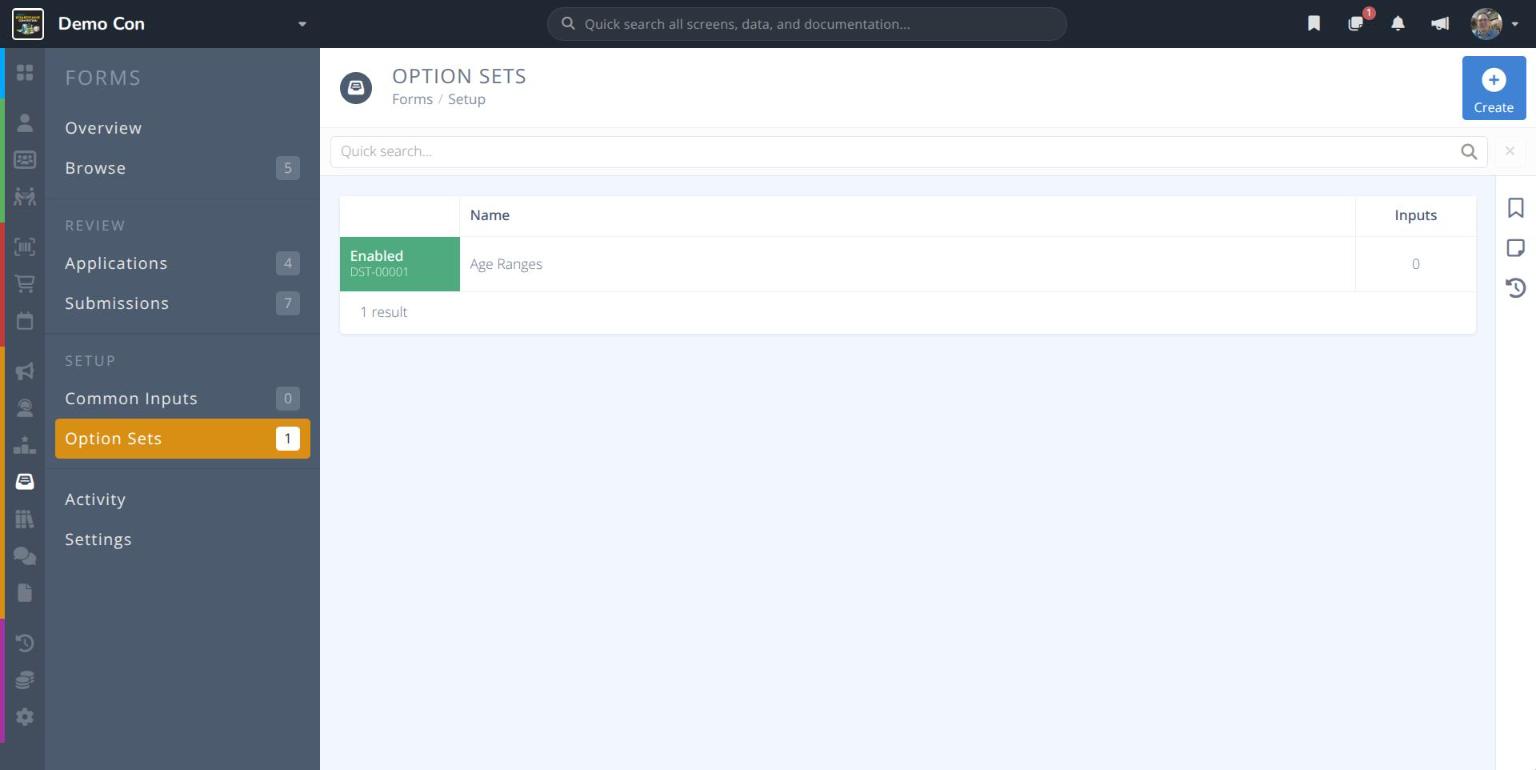
An Option Set is a list of answers you can reuse on any Toggle, Select or Checklist input, such as age ranges or T-shirt sizes. Change the set once, and every input that uses it is updated.
From the menu click in the SETUP group. Each row shows the set's status and reference (e.g. DST-00001), its Name, and how many Inputs use it.
¶ Common Procedures
¶ Fields
Setup tab:
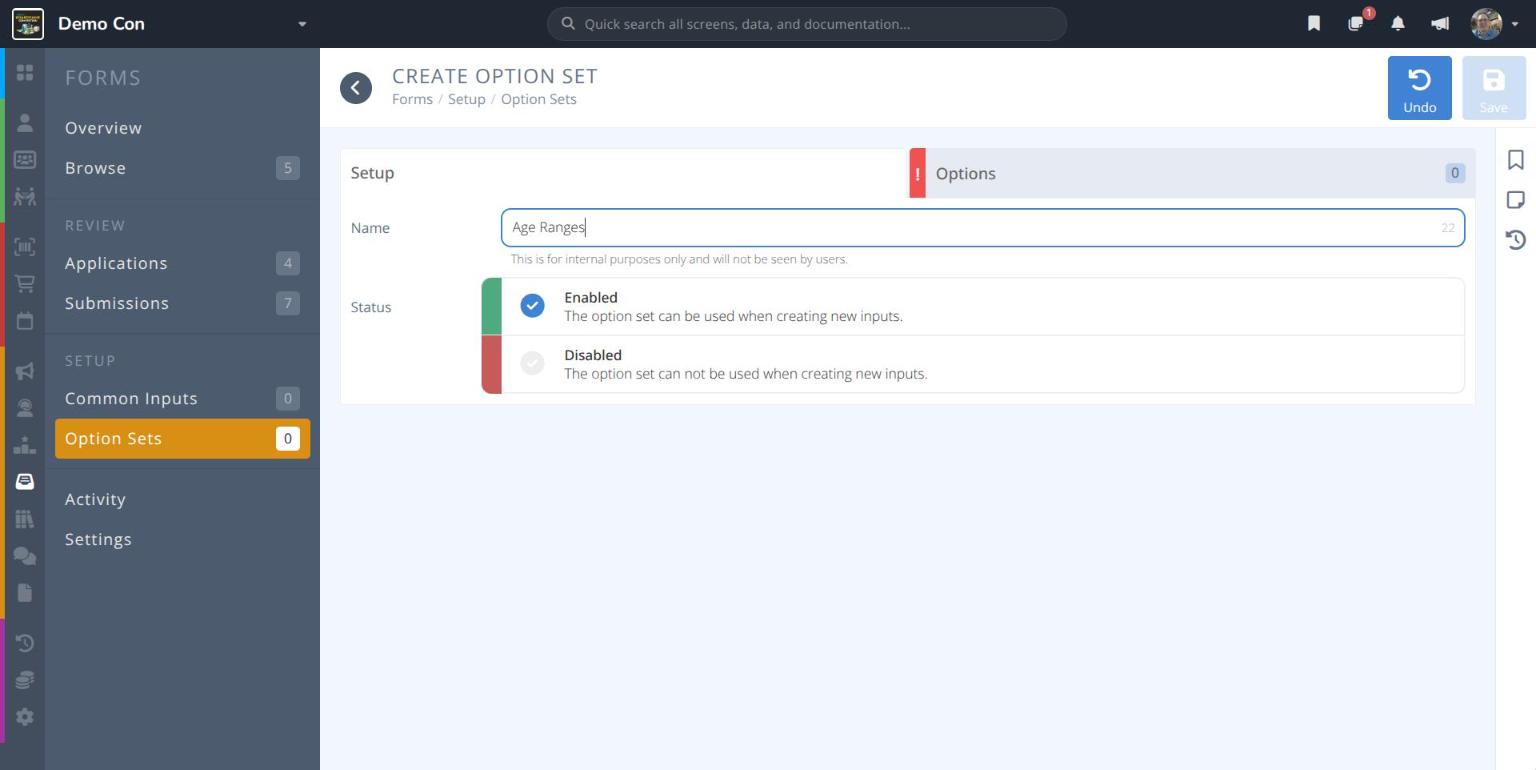
Name- The name of the set. Only staff see this.Status- Enabled sets can be chosen when creating inputs. Disabled sets cannot.
Options tab:
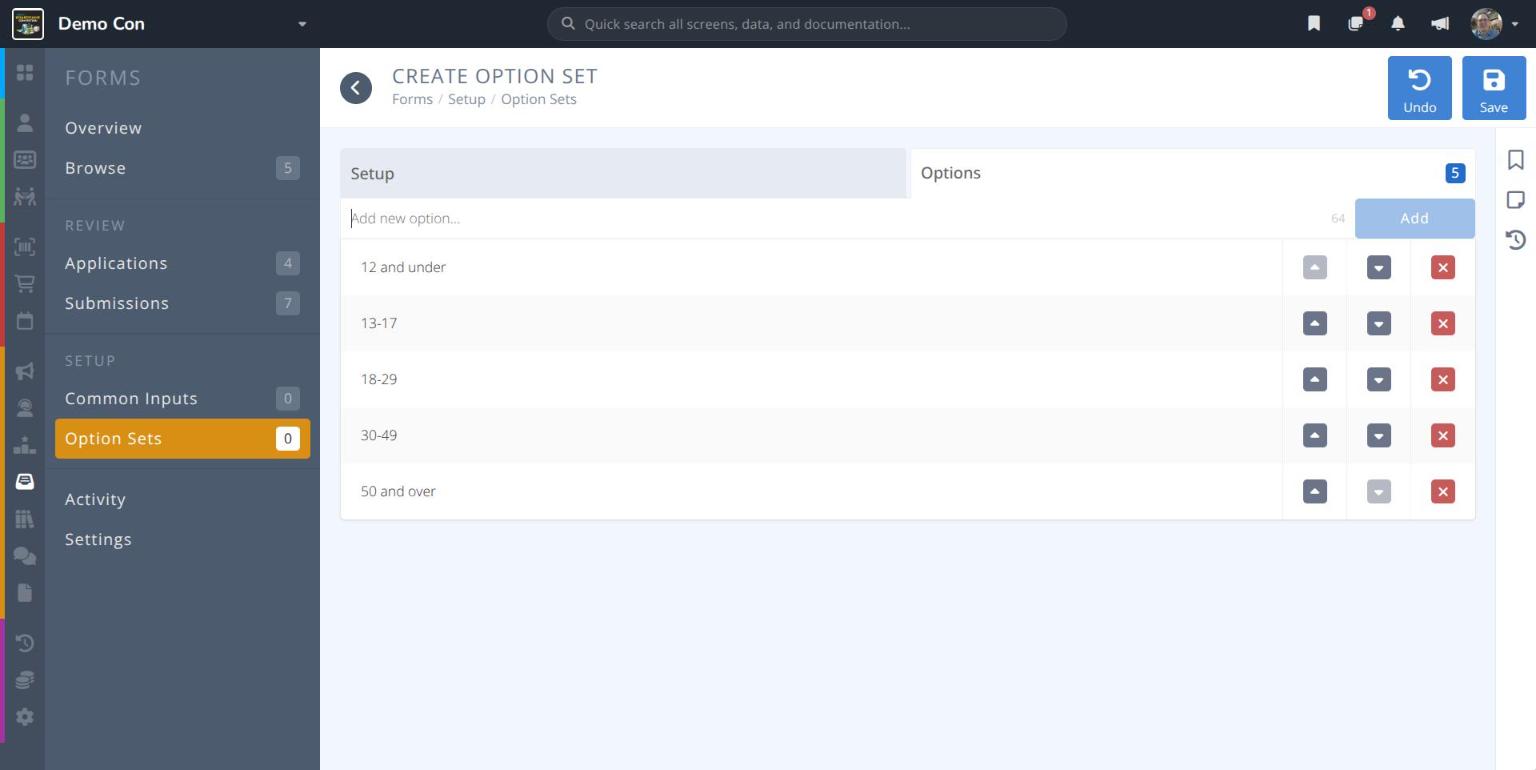
- Add new option... - Type an answer (up to 64 characters) and press Enter or click .
- and - Move an answer up or down.
- - Remove an answer.
¶ Procedures
¶ Create an Option Set
- From the menu click , then click .
- Enter a
Name, e.g. Age Ranges, and leaveStatusas Enabled. - Click the Options tab.
- Type each answer in Add new option... and press Enter, e.g. 12 and under, 13-17, 18-29.
- Put the answers in order with the arrows.
- Click .
To use the set, choose Use existing option set when you create a Toggle, Select or Checklist input.
¶ Change an Option Set
- From the menu click , then click the set.
- Change the
Name, or click the Options tab to add, remove or reorder answers. - Click . Every input using the set now shows the new answers.
¶ Delete an Option Set
Warning: Check the Inputs count first. If it is not 0, review the common inputs and forms that use the set before deleting it.
- From the menu click , then click the set.
- Click , then click .
Note: Deleting a set does not delete the inputs or forms that use it. They keep working with the last answers the set had.
¶ Next Steps
Common Inputs- Create a reusable question that uses this set.Forms- Add an input to a form.