¶ Forms: Submissions
¶ Overview
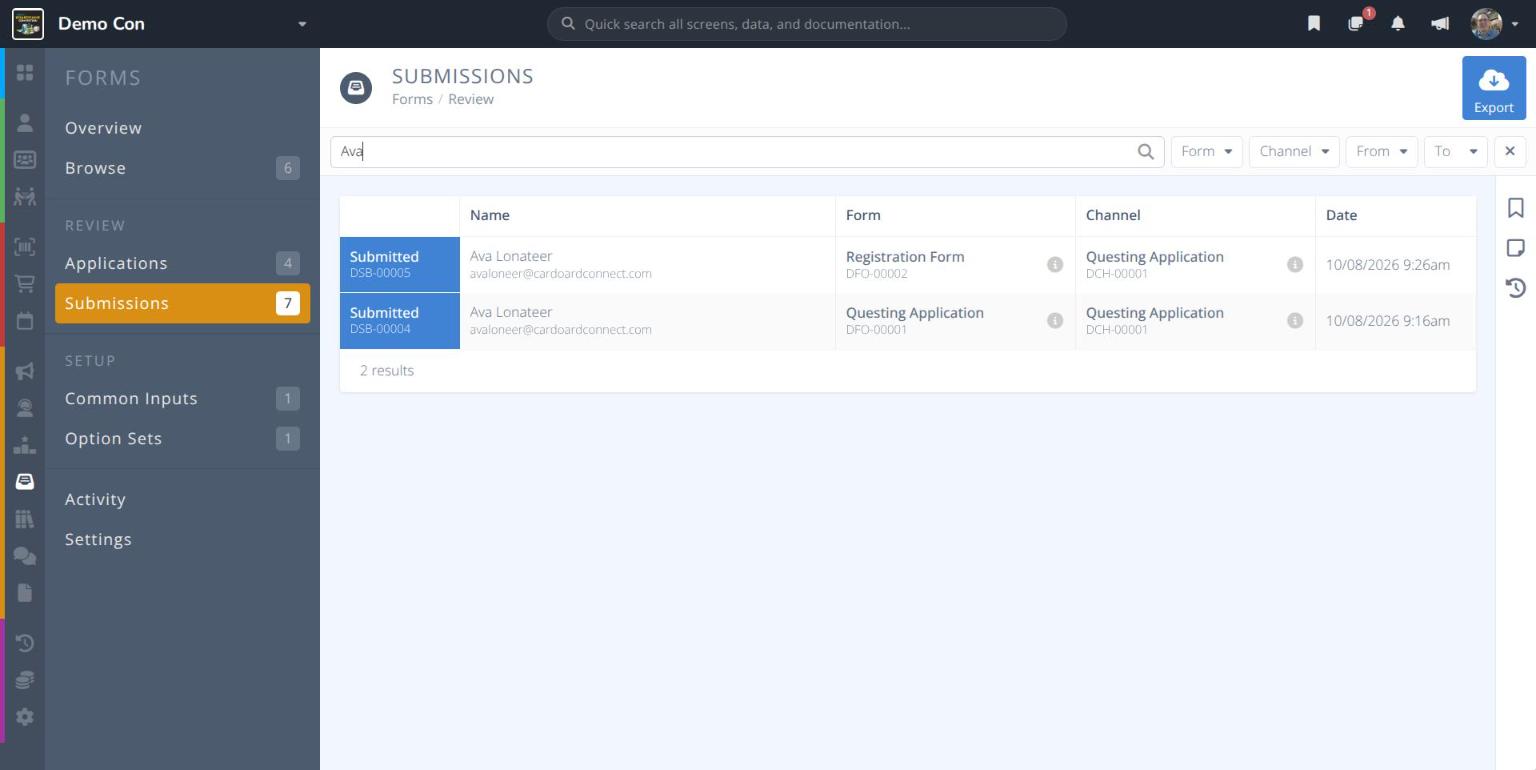
Submissions lists every response sent through your forms, such as registrations, applications and surveys. For each one you can see who sent it, which form collected it, and the page (channel) it came from.
¶ Common Procedures
¶ Submissions Screen
From the menu click in the REVIEW group.
Each row shows:
- Status and reference (e.g. DSB-00004).
- Name - The name and e-mail address of the person who submitted it.
- Form - The form that collected it. Click to quick-view the form, then Go to full details to open it.
- Channel - The page it was submitted from. Click to quick-view the page.
- Date - When it was submitted.
To find submissions, use the Quick search... box (name), Form, Channel, and From and To. Click to clear the filters.
¶ Procedures
¶ View a Submission
- From the menu click .
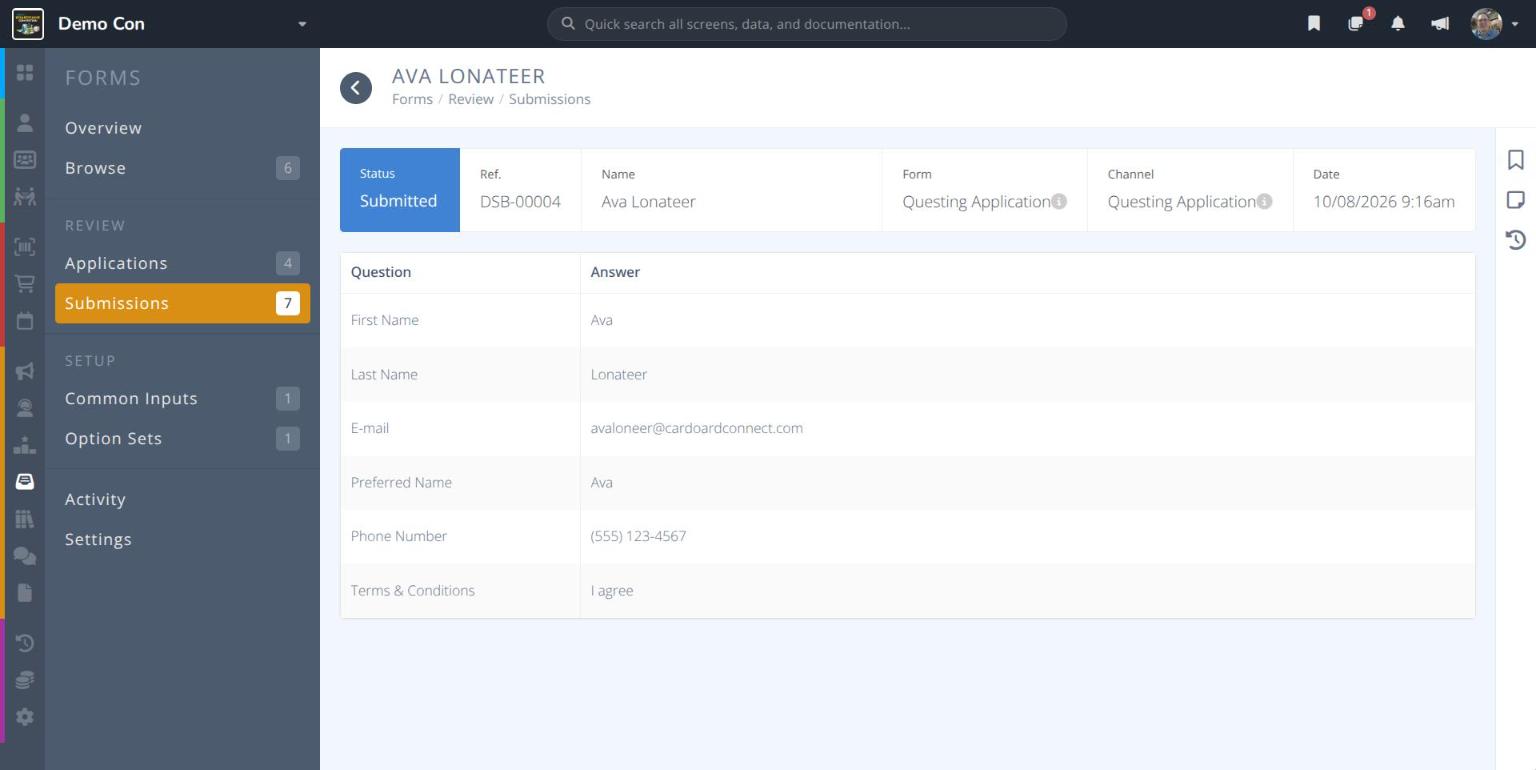
- Click the submission. Every question and answer is shown.
¶ Export Submissions
- From the menu click .
- Filter the list to the submissions you want, e.g. one Form between two dates.
- Click .
- Untick any columns you do not want, and untick the column names option if you do not want a header row.
- Click . A CSV file is downloaded.
¶ Next Steps
Applications- Approve or reject applications.Forms- See charts of the answers on a form's Summary tab.