¶ Library: Settings
¶ Overview
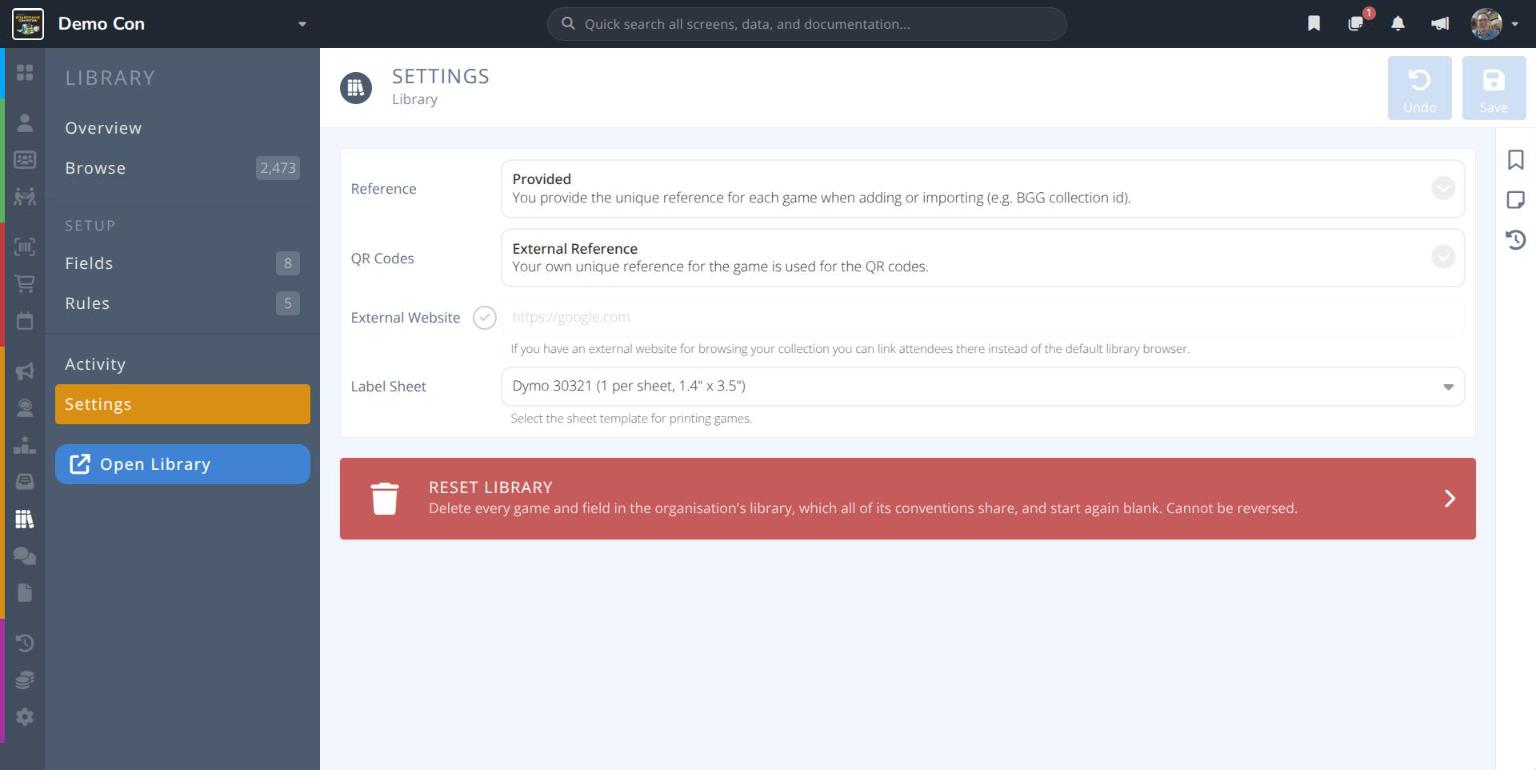
Library Settings decide how each game is identified, which code is printed on its label, and the label sheet you print on. They apply to your organization's whole library.
From the menu click . After changing a setting, click , or to discard the change.
¶ Fields
Reference- How each game gets its unique reference:- Automated Default - The system gives every game you add or import a reference.
- Provided - You enter each game's reference when adding or importing (e.g. a BGG collection ID).
 Note: Each reference must be unique. If you have two copies of a game and use its BGG ID, add a copy number to each, e.g. -1 and -2.
QR Codes- What the QR code on each label contains:- System Generated Default - A code the system creates for each game.
- External Reference - The game's own unique reference.
- Provided Code - A separate code column in your import file.
External Website(optional) - If you have your own website for browsing your collection, enter its full address (starting https://). Attendees are sent there instead of the built-in library.Label Sheet- The sheet labels are printed on:- Avery 5160 - 30 per sheet, 1" x 2.625".
- Dymo 30321 - 1 per sheet, 1.4" x 3.5".
- Dymo 30334 - 1 per sheet, 2.25" x 1.25".
- Dymo 30336 - 1 per sheet, 1" x 2.125".
¶ Reset Library
Reset Library deletes every game and field in your organization's library and starts again with a blank library.
Warning: The library is shared by all of your organization's conventions, so resetting it affects every one of them. It cannot be undone. Export your library first if you might need it.
¶ Next Steps
Print Labels- Print labels on the chosen sheet.Import Games- Import games with your own references.