¶ Rename A Badge
Note: The ability to rename a badge and time period where it is allowed is set by the convention.
If the rename button is disabled this function has been blocked by the convention organizers.
You will need to contact them to request an exception or that the functionality be made available.
-
Login to the Android, iOS, or web app at cardboardconnect.com.
- Look for the button in the top right.
-
Select your convention and badge.
- Either from the context menu (where you clicked Login) or from the home page in the section.
-
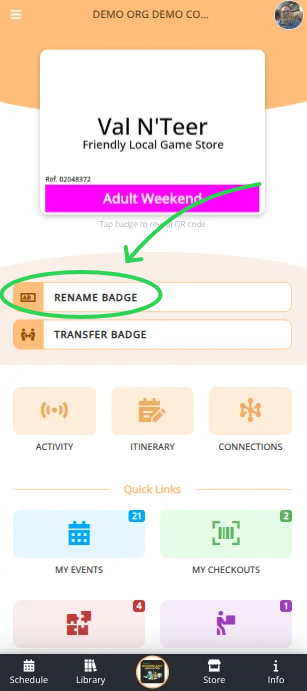
Select Rename Badge
-
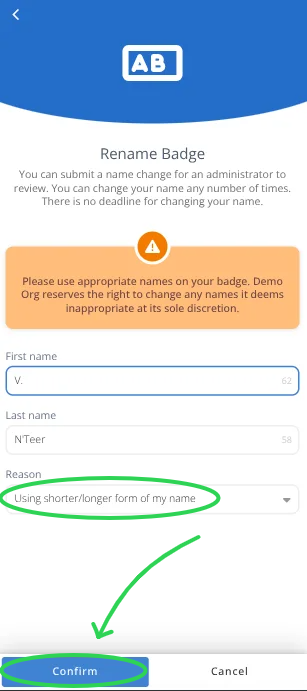
Specify the corrected name and/or subtitle and reason for the change
-
Click to submit the change.
-
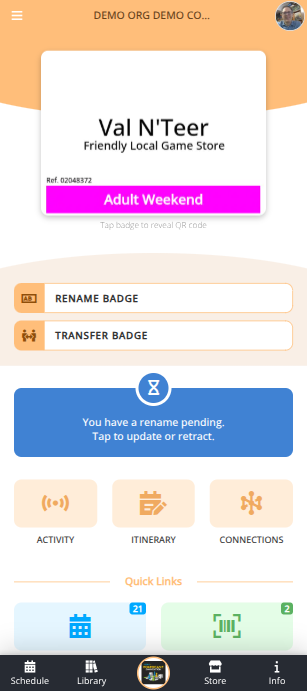
If the convention has specified that renames require approval you will see an indication that you have a rename pending. You can tap on that notification to update or retract your rename request.
-
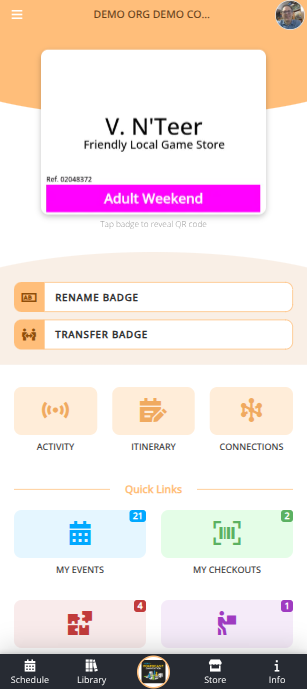
Once the convention has approved your rename request you will receive a notification that the request has been approved. Your badge will display the updated name when next accessed.